Upcoming SmartThings API Usage Limits for SharpTools Rules

I don’t have any plans for it at the moment, but if there’s enough interest I’m open to considering it. For slight overages, it might be reasonable, but at some of the higher volumes with people 5x or more over usage the commercial pricing that SmartThings enforces isn’t particularly economical.

In those scenarios, the recommended approach is usually to refine common anti-patterns like looping / large command fan-out (especially refresh() commands) and similar.

No, the usage allowance only applies to SmartThings API traffic generated from SharpTools Rules.

It looks like your account is on the free tier which is probably why you are feeling the impacts. With SmartThings making all API usage paid, the free tier is impacted most as the limits are 10x less than the premium tier. I considered killing the free tier completely, but figured tighter usage limits were better than none and the usage limits only apply to SmartThings so it didn’t make sense to impact other integrations we support (Homey, Hubitat, Home Assistant).

The biggest optimization for this kind of rule is conditionally sending commands when they are actually needed.

For example, with a ‘sensor updates and >130’ trigger, anytime the value updates and it’s below that threshold it will trigger the ‘plug off()’ command. So it triggers and runs the command when the temperature hits 131, 132, 133, and so-on.

Using a changes to trigger by checking the ‘On Transition Only’ box ensures that the command is only run once the first time the value goes over the threshold. eg. only when it first hits 131

:page_facing_up: Announcing 'On Transition Only' Triggers

If there’s potential for the device to already be in the target state, you could further refine things by conditionally sending the command. eg. IF switch != ‘off’ THEN off()

Another factor is the rule appears to fan out to ~33 devices where each adds to the count. Instead of sending the commands to 30+ devices, you could execute a single Scene instead which handles sending the commands for you. SmartThings renamed these to Manual Routines and after creating it, you’ll likely need to reauthorize your SmartThings account to SharpTools to sync over the new Scene details.

What kind of trigger restriction are you looking for? The common approach is to use an IF Condition as the first block in your rule if there’s some additional precondition for running the actions in the rule flow.

Yes, conditionally sending the command would reduce API calls.

Historically, referencing the device state in an IF Condition would make an API call to fetch it from SmartThings, but it does NOT do that anymore. That’s one of the optimizations I alluded to in the original post. The system now sets up event subscriptions for devices that need their state referenced within a rule (only for SmartThings) so it can read that state directly from our database saving an API call.

For platforms other than SmartThings, I would normally have suggested the pattern you were previously using with just sending the command even if the device was already off as it doesn’t hurt anything. But now that SmartThings is charging for that command, making it conditional is a reasonable approach.

An event coming into SharpTools doesn’t count. Nor does interaction with SharpTools features like Variables or interactions with other platforms like Hubitat, Home Assistant, or Homey.

The primary driver of SmartThings API calls from SharpTools rules are device commands.

I would recommend checking the SmartThings Usage feature noted in the original post and reviewing the top 5 rules that are contributing to your usage. Sometimes the pattern is pretty clear from just looking at the rule. Other times you might need to review the rule logs where you’ll discover a pattern you didn’t expect. For example, and I’m not saying this applies to your specific rules, using a updates instead of changes isn’t always immediately intuitive that it can cause a rule to retrigger over and over as the value changes slightly and seeing all the executions in the rule logs can be enlightening.

2 Likes

Josh, okay I can switch to routines to stop the fanout. Seems a bit ridiculous, basically you are saying don’t use the multi device feature you added and in fact manage your rules in 2 places (routines and Sharptools), but if thats what is needed I can do it.

Although I’m not using 5x the limit, I’m pretty sensitive to the notification pattern I’m building (it tracks activity on a device that I need to know [urgently] is offline when it’s offline). I’d be fine to have a higher-level subscription covering the costs of my usage pattern.

I will reduce the check-in frequency for now to see how close I might get to the threshold, but the over-threshold behavior (stop running the rules for the rest of the month), is a complete no-go for me.

I’m a little concerned and would appreciate advice. I have only one automation, and I would have thought it is pretty simple, but it is also saying it is bumping against the usage limits.

My Flow is just this:
Trigger: Everyday at 5:45 AM
Flow:
Fade Master Bedroom Light level from 0 to 100 over 30 minutes

Why does that push up against the API usage limits if most people won’t have to do anything?

This flow seems very simple, how can I make it more efficient while still achieving this gentle wake feature?

thanks for the quick and clear reply. I missed the optimization, thanks for pointing that out. Would it be possible to have an option/checkbox for device actions to only send if the value to be sent changes from the value that is currently set? Since you now know the current value in your database, you could check that against the new value to be sent? That would save quite some if-statements :wink:

If you setup a lighting group in Smartthings you can do this fade natively, but it does require 2 lights

It’s a combination of two things. The free tier has significantly less usage than the premium tier and the Fade Macro sends 20 individual device commands over the 30 minute window. So it’s lots of little API calls rather than a single one.

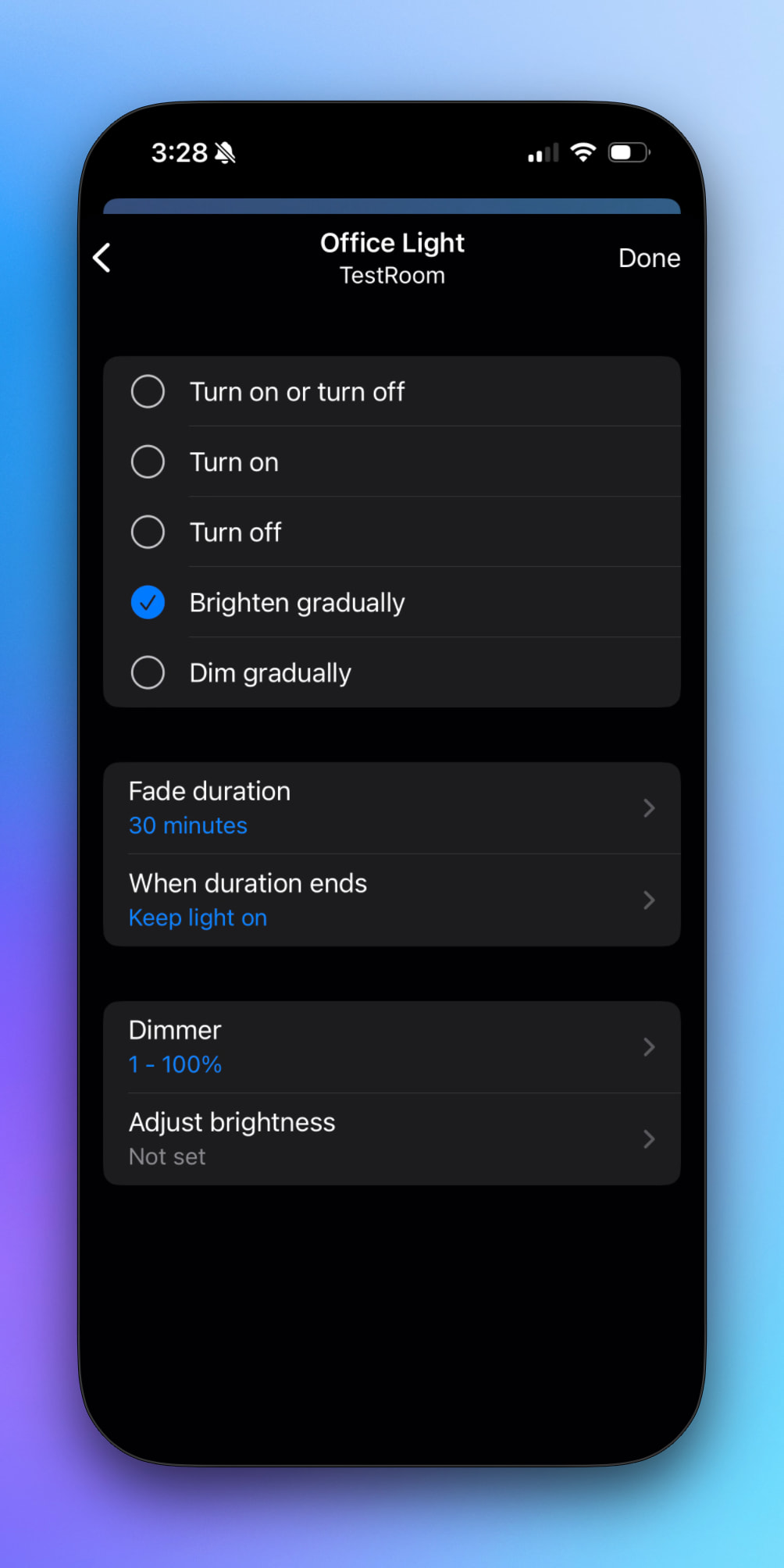
It looks like SmartThings Routines support a Brighten Gradually feature, so I would consider moving that automation there.

From my reply above:


I’m not sure I follow… as if the rule is being triggered by an event and then sending a notification and that’s all, there shouldn’t be any API usage from that. The SmartThings API usage is primarily driven by commands to SmartThings devices.

Note that once we enable the SmartThings Usage email notifications, you’ll get a warning notification at 75% usage then a limit reached notification at 100%. These usage notifications are currently turned off, though I’m likely to enable them as a soft notification in September (eg. you get the notification, but it clarifies that the limit isn’t actually enforced yet).


That’s a neat idea, and I can see how it could simplify things. Right now I’m focused tightly on the core usage concepts, though, so I don’t want to set any expectations around this one.


I hear you and I feel the same way. I prefer to keep all my automations in one place, but it feels like these Samsung SmartThings API changes are forcing our hand on this.

I’ve internally built a proof-of-concept for using the SmartThings Rule API when rules are eligible, so it could offload the execution to SmartThings and not count against your API calls for day-to-day execution, but with the timeline being imposed I figured it was most important to get the usage tracking and notifications out first rather than a moonshot idea that isn’t yet proven.

The scenario is that I want to send a notification (app notification) from SmartThings on a negative event (no activity in N minutes). In order to do that I’m catching multiple different update events from various SmartThings sensor inputs. Each event, when it happens, triggers a virtual SmartThings device “activity detected” event.

Since I want to know ASAP when power is lost, I need to “sample” those sensor reports frequently in SharpTools, update the virtual device frequently (API call), and set a short timeframe for my no-activity-in-N-minutes routine. Updating the virtual device occurs every minute or two as things are configured now and the N minutes value is 30. So, as noted, I can adjust my timing a bit but experience indicates that I don’t actually have too much room without forcing an N increase, reducing the sensitivity of my offline detection.

Sounds like that’s the key part driving SmartThings API Usage. Perhaps you could change that from a Virtual Device to a SharpTools Variable

Maybe. I’ve previously attempted to implement more of the process in SharpTools but found the result unreliable. Power went off without notification.

Basically I’m building a watchdog timer and SharpTools is “tickling” the watchdog when any communication from the sensors arrives (which it does very well).

Thank you (and Josh) for the information, it wasn’t supported back when I started with Sharp tools. It’s a little annoying I have to have two lights set up to do this, but it’s rare that the random basement light I tied to it to make it work will bug someone.

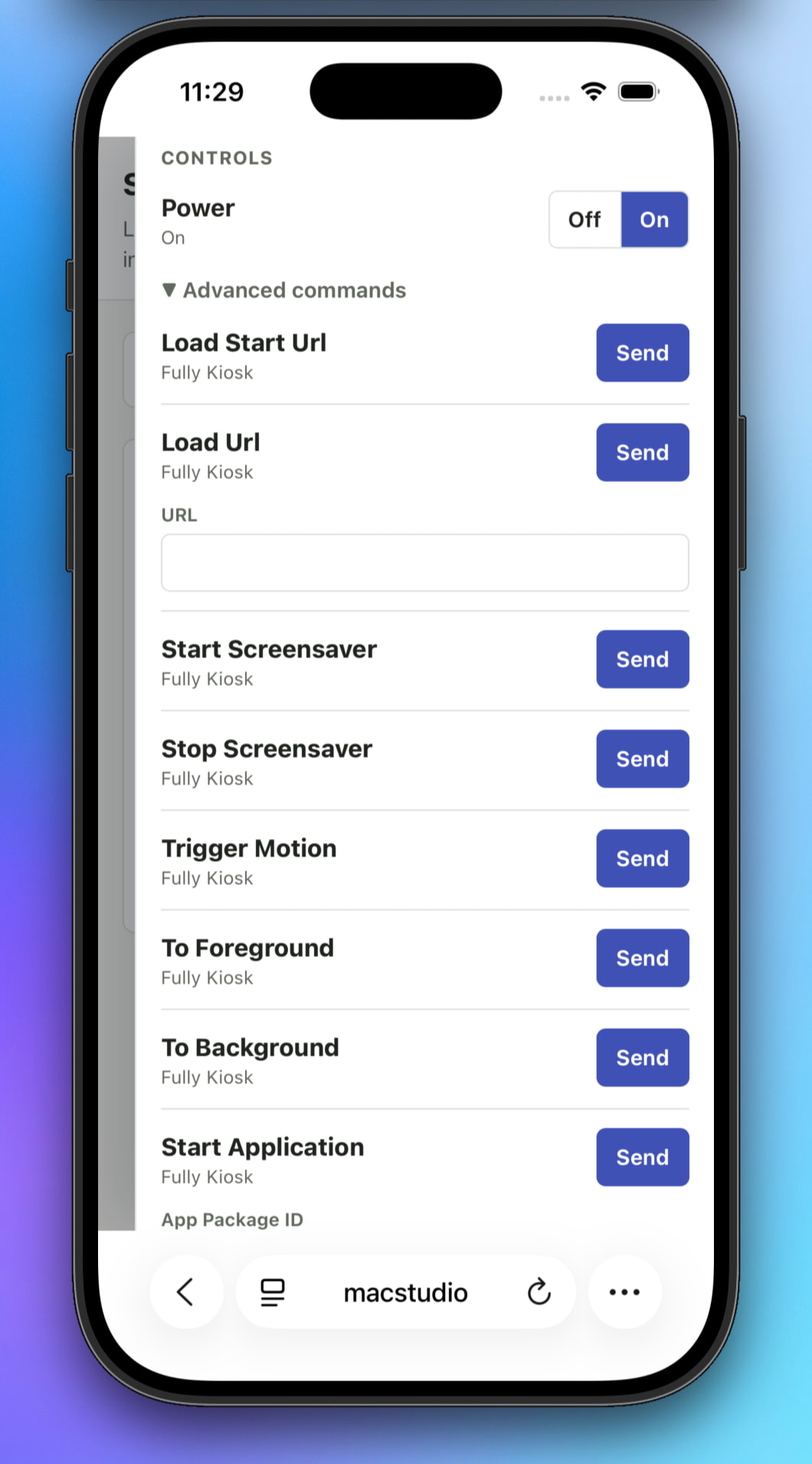
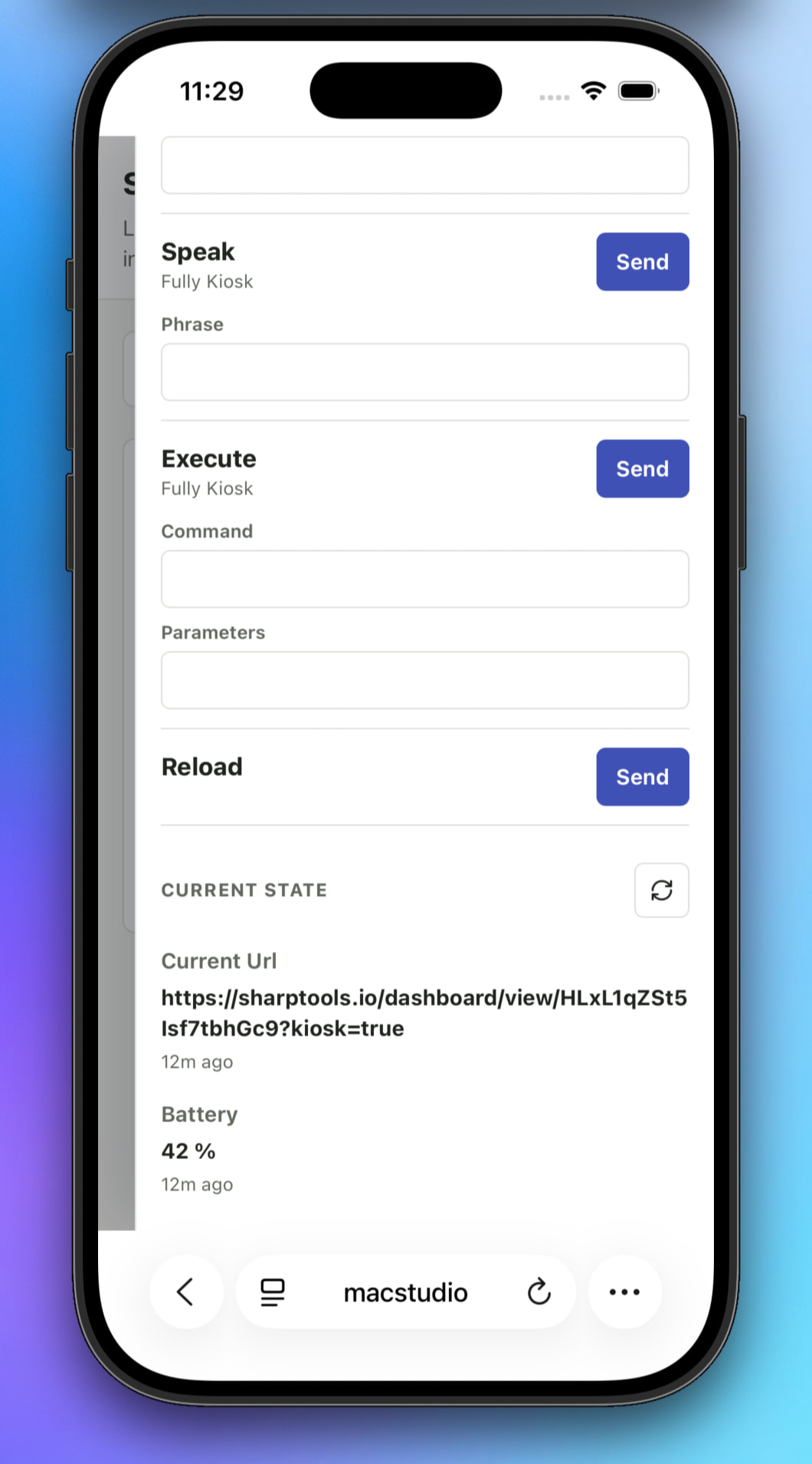
I’m pretty sure some of my usage is as a result of using your Fully Kiosk Browser Edge driver. Have you considered updating that (not even sure it’s possible) so that more can be handled on the smartthings routines side vs Sharptools side?

It’s implemented as a regular device driver, so in theory SmartThings could access all the features of it, but I’ve heard other people say SmartThings Routines don’t expose common commands like refresh() and instead have a restricted set of commands they support in Routines, so routines probably can’t access many of the helpful commands the Fully Kiosk driver implements.

That being said, there are Fully Kiosk drivers for other platform integrations that we support if you have any of those hubs. Or the SharpTools Bridge I mentioned a few times above has a native Fully Kiosk Driver as well.

I would be remiss if I didn’t reiterate that it’s important to review the pattern that is being used or is causing the commands to be sent, not just the commands themselves. Often times there are approaches to reduce the number of commands being sent (eg. conditional sends, etc).

SharpTools Bridge - Fully Kiosk Driver

You can make a virtual device that is a light and use that as a dummy second light.

First, kudos to the ShartTools team for proactive notification.

My rules vastly exceed the allotment, but the good news is that its only a short list causing the API thrashing. These I created a long time ago, and maybe there’s a better more elegant solution now… not sure this is the best thread to ask it but forgive me if I start here.

I have a couple of physical energy meters and a virtual one. The virtual one tracks the sum of the other two’s values using a rule which does simple addition and writes the value to the virtual device. The rule is triggered by a value change in either of the physical meters. So I guess I could just change the rule trigger to be period at some low-enough interval to avoid the API thrash, but is there another approach I’m missing? The downside to the interval method I see is the sum may infrequently be incorrect, but I can probably live with that given how I use that virtual meter.

Why not write the summed value to a SharpTools Variable? If you wanted to have all the values on a single tile (even in gauges if desired), you could use a Super Tile to display all the values.

The use case is a bit more involved that my just viewing the total. I have the value logged by ConstantGraph, which requires a device from which it gets the value. (I did once ask Simon there for a feature to allow CG to do the actual sum, but it was never added. I’ll reask given this latest development. Admitted it is a “nice to have” convenience but I’ve grown accustom to it;-)

A small suggestion: rather than showing the usage by app as %total use for the period by app (so sum across apps is 100), show them as percent of the allowed maximum for that period assuming equal distribution of allowance over the interval. In this way, when I make adjustments, I can see what percent of the allowance it will be for a big user app after a day or so. In this way the highest using app would likely show a number greater than 100% if I have a problem app.

Sooo… I haven’t been home in days. The only rule that could have run is one tied to my phone (fully charged kiosk change). Yesterday was at 77 percent. Checked this morning, use is now 115.

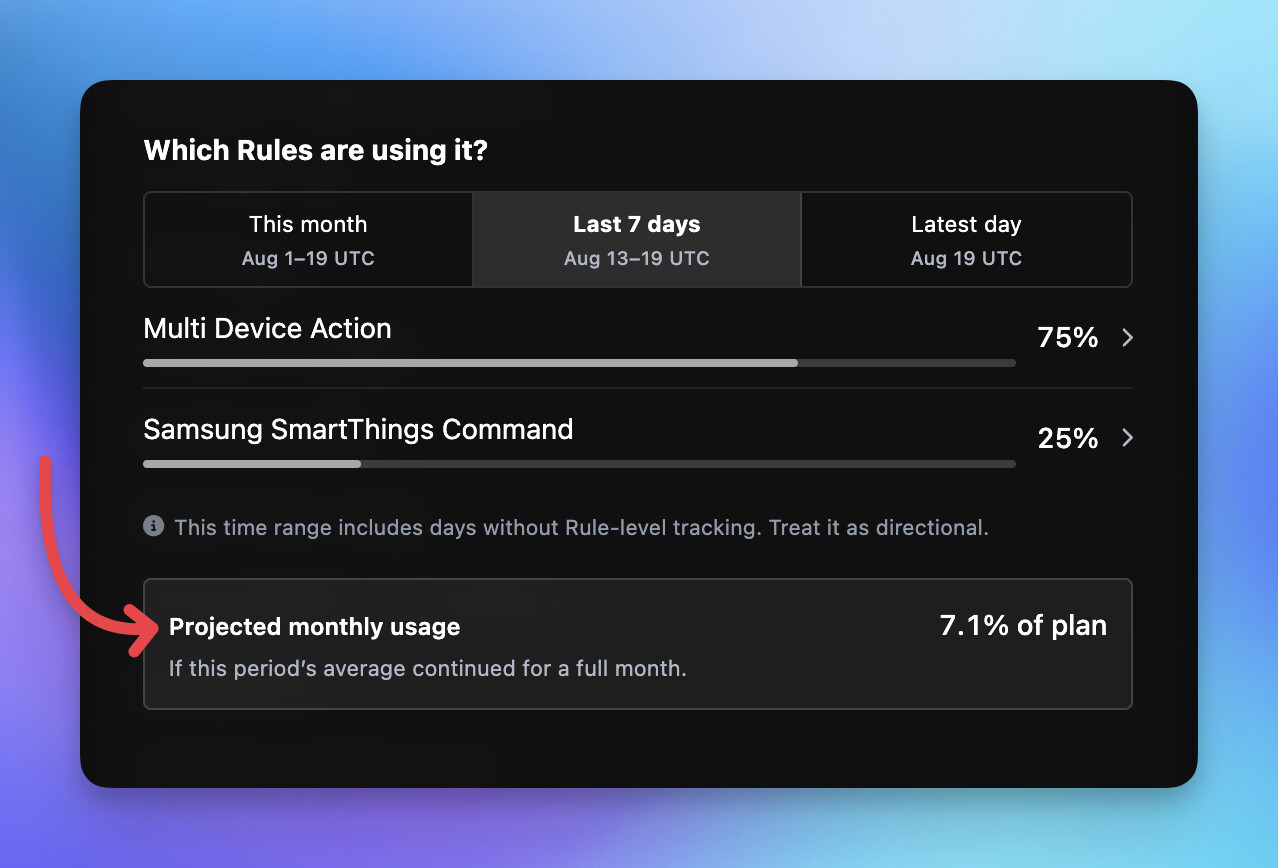
I pushed an update last night that I believe addresses this. When you have a time range selected in the Top Rules section, it now shows a Projected Monthly Usage.

Keep in mind that this is a simple calculation that just projects what the monthly usage might be if that same usage pattern for the selected period continued for an equivalent full month. It’s only considering that selected window though: using ‘Latest Day’ as an example, it’s projecting what a full month would look like for that repeated daily usage. It does not use the month-to-date usage as a starting point and project forward for Last 7 Days or Latest Day, but is rather a fresh full month projection based on the selected time period.

But it’s helpful reference to be able to look at the Latest Day (most recent full UTC day), after making rule changes and waiting, to get a feel for if the projected usage is lower compared to the Last 7 Day projection or Month To Date projection for example.

:counterclockwise_arrows_button: Note that as part of releasing this projection feature, I synced the plan usage meter against recorded consumption data. The plan usage limit wasn’t enabled until August 6th, so it was previously missing usage from the earliest part of the month. As such, the reported plan usage will have increased to account for the previously missing days.

2 Likes