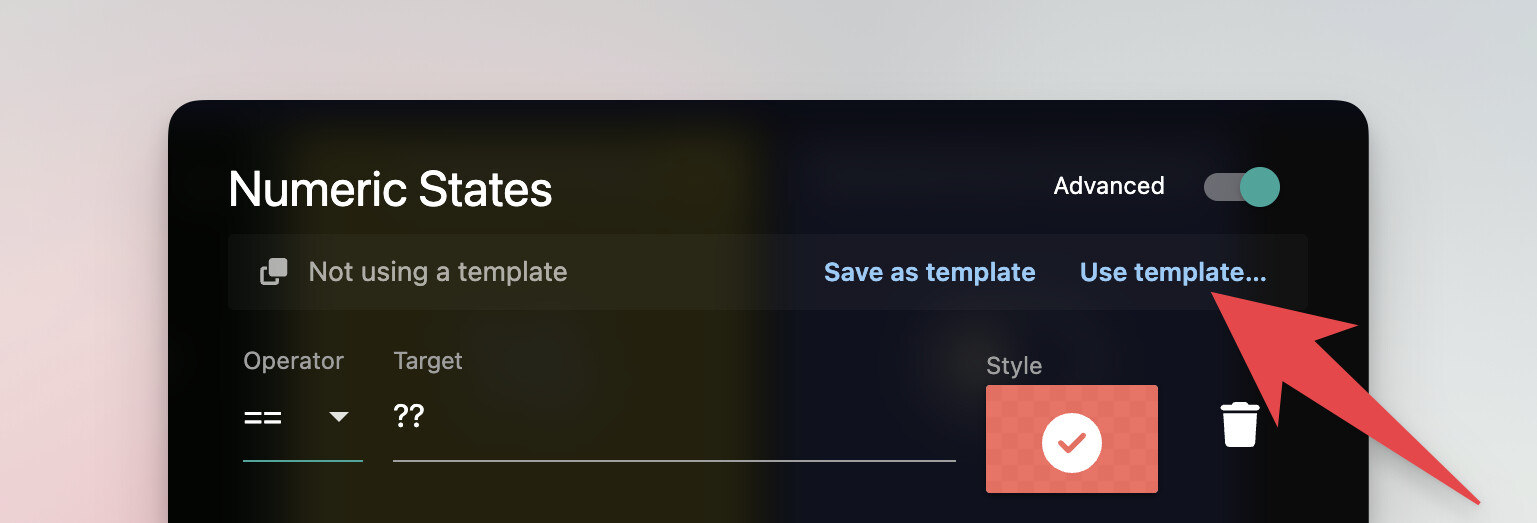
When setting up the color states for a Temperature Sensor tile, if you want to use the same color states on multiple tiles you have to manually configure each tile with the same set of states and color selections which is time consuming.
This same concept applies to icons for some tile types as well - for example, some community members have setup Hero Attribute Tiles with icons mapped to a variety of states.
Internally this feature is called “State Mapping”
It would be great if there was some way to create a ‘template’ for the color states so you could reuse the configuration across multiple tiles.
Sourced from support tickets as well as the following posts:
Thanks for the feedback, Mike. Make sure to scroll up to the top of the post and click ‘Vote’ too!
Edit: I would also note that this request is for ‘templates’ for the color states… there’s also a feature request for mass editing of tiles that you might be interested in casting a Vote on (especially once these templates are available): Mass edit / Bulk edit of tiles
I use 12 different states with colour changes for my temperature tiles. I have quite a few of these and it would be really great if I could export/import the temperature state styles rather than have to manually set them up for every device.
I don’t have the votes left, but it is like the most annoying part of so great platform as Sharptools. Yesterday needed to add 14 smoke detectors. First they are coming as an omni generic device, so need to change the layout and select 3 attributes for all of them (a lot of clicks), and the geometry, etc. But then needed to add 3 states to each of them, with icon animation too much clicking, my hand was really soar. So something like format brash or copy format, really could save a lot of time here. Or at least have a command line, where I can script the changes.
I have to agree that setting up different colours again and again is a right pain. Templates is the way to go I believe. And rather than setting up 5 or more different thresholds for, say, temperature, I’d like a system where I could specify 16 for blue, 21 for green and 24 for red and the tile automatically interpolate between the colours going through yellow and orange from 21 to 24. Again, storing this in a template and being able to bulk apply this to tiles would be so useful.
The State Mapping Templates feature is now available in beta.
If you are already part of the beta, you can find more details about the feature in the following thread. And if you aren’t part of the beta, feel free to PM me to get access.
Internally this feature is called “State Mapping”


 The State Mapping Templates feature is now available in beta.
 Templates for Style / Icon States