As most Actiontile users with the unexpected demise of the tool moved to Sharptools I am unable to get my Waze Cameras to display in the dashboard on my iPad (As well as some mac browsers). Im looking to see if anyone has been able to get the video feeds from Tinycam web server to display on an iPad.
Welcome to the community and thanks for posting. Can you share more details about what you’ve tried and what parts are working and what are not?
I haven’t personally tried it in quite some time, but here’s a post specifically describing integrating Wyze Cams using TinyCam into SharpTools dashboards:
 Wyze Cam + Tiny Cam on SharpTools Dashboards
Then I would check for common issues:
- Make sure you can view the video feed directly in your browser to verify the basic connectivity. If it doesn’t work directly in a browser tab, it won’t work as a Media resource.
- If you are seeing the warning about displaying HTTP media when creating your media, make sure to follow the link as it’s the most common issue!
- Don’t use username:password@camera style URLs as many browsers don’t support embedding that resource type anymore
I am able to use Chrome on my Mac and see live feed using the following (parsed user/password).
https://192.168.1.20:8083/axis-cgi/mjpg/video.cgi?camera=1
The same URL in media tile displays nothing when using Sharptools on the same Chrome browser.
It’s very unlikely that TinyCam is using a valid SSL certificate. It’s possible that you accepted the locally served certificate when viewing the stream directly… but that won’t work when embedded on another page if it’s not a valid SSL certificate.
It’s discussed in the Wyze Cam + TinyCam thread I linked above. It’s mentioned in this reply:
And what did you mean by parsed user/password? The format of that is critical as noted above and in my original reply.
When launching in browser there is no prompt to accept an SSL Certificate.
I’m not saying there is a recurring prompt. I’m saying it might have been accepted at some point in time and now the browser is remembering that and allowing it for direct viewing of the URL.
Unless you are very familiar with SSL Certificate issuance, it’s very likely that having HTTPS enabled in TinyCam is causing the issue as it would be serving an invalid SSL certificate.
After numerous tries, I finally got it working but I am seeing the more video feeds I add the worse the performance gets on the dashboard and sometimes becomes unresponsive not allowing me to select any devices or even the button for edit/config of the dashboard. This image shows how selecting a device to turn off has caused the app to kinda lock up with all the messaging.
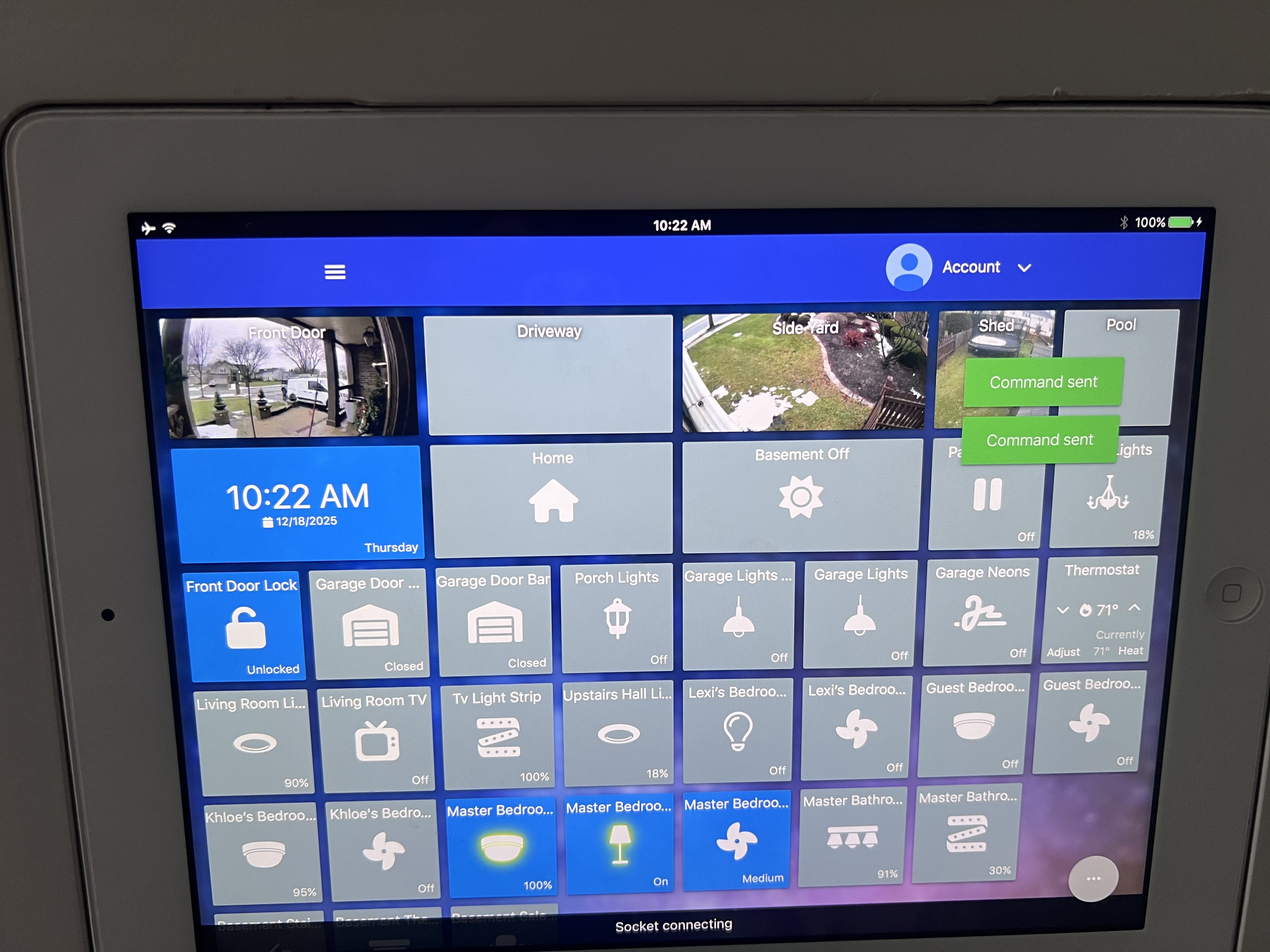
I wonder if tweaking some of parameters of the camera might help like getting a lower resolution or lower framerate feed? Or you could try switching to auto refreshing image snapshots instead of the feeds?
what did you do to finally make it work.I’m having similar problems.
For those that run into the same problems: I’m using Waze cameras plus tiny cam pro + sharp tools on a fire tablet. I solved the problem of wye cameras not displaying in sharp tools using the following URL in sharp tools media tile (where “52 is the local ip address from tinycam pro for the web server and I used the username and password set in tiny cam pro.
http://192.168.1.52.st-ip.net:8083/axis-cgi/mjpg/video.cgi?camera=2&user=admin&pwd=pwd
1 Like
I had to restart my fire tablet running the web server and use the following URL to display.
http://:/axis-cgi/mjpg/video.cgi?camera=&user=&pwd=
example
http://192.168.1.12:8083/axis-cgi/mjpg/video.cgi?camera=1&user=guest&pwd=guest123
I am having an issue when displaying more than 2 video feeds in the dashboard as the screen press is very slow or unresponsive.