[Resolved] Homey Flows Custom Tile

Old thread I know.
At the top you said this works for homey pro 2023 because of the API key. I’m running the 2026 and was able to get an API key.
The custom tile seems to work, I says “Loading…” and then shows “Flows”. Nothing happens when I click the title.
Using the “advanced flows” version, if I use the “Only Show Favorites” option is says “Error fetching favorites”.

Is this still not supported with Homey Pro 2026?

I’m seeing the same thing. It looks like the Custom Tile is getting the flows, but it’s failing to display them. I’m looking into it now…


For the Favorites, note that from the original Homey Custom Tiles release thread, you must have the Users scopes added to be able to retrieve the list of favorites.

I pushed a fix that should resolve this. It looks like a bug was introduced with our recent big frontend update that broke the Show List functionality in Custom Tiles.

You’ll need to refresh the page in your browser while viewing SharpTools to pull in the latest frontend version with the fix.

Thanks for the quick fixes. The advanced flow custom tile is also working now!

When I chose a flow from the list nothing happens. What have I missed? Or, point me to the documentation please.

Can you share more details? When you select a flow from the list, the list closes and the Custom Tile uses the Homey API to trigger the flow.

Of course the flow would need to be designed in such a way that it performs some actions when it’s manually triggered.

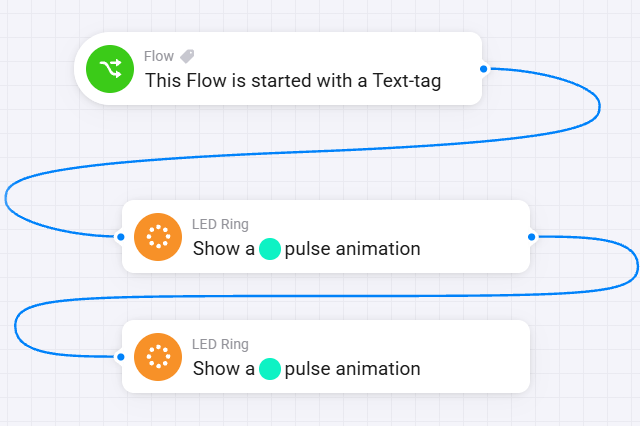
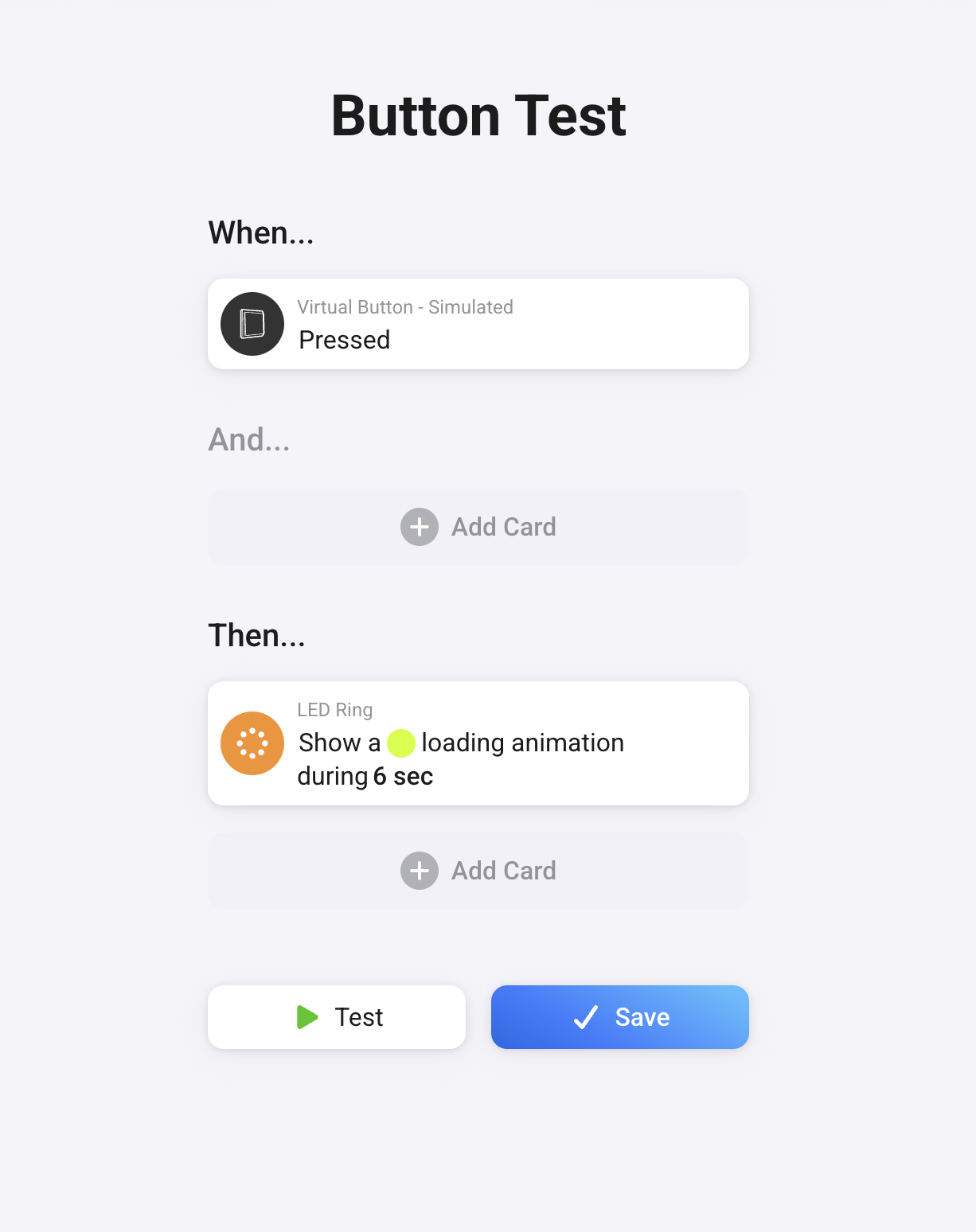
For example, my test flows pulse the LED Ring on the Homey Hub as a simple visual validation that things are working as expected.

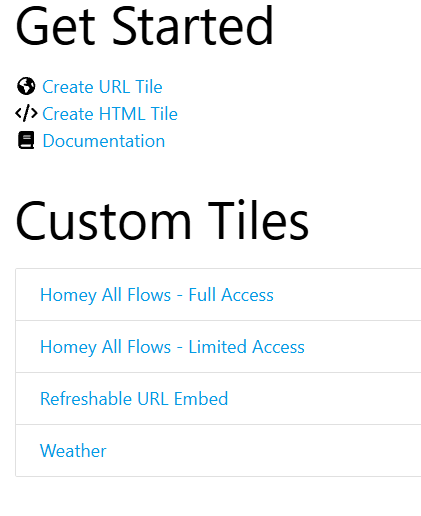
Advanced Flow (note this Custom Tile variation is developed by a community member)

If you have a computer available, you could try opening the Developer Tools on your browser and watch the network logs or console logs when using the Custom Tile. You should see if log some basic diagnostics around making the attempt and would see an error if something went wrong from the tile side of things.

Again, once the request is made to Homey, the flow itself actually has to have some meaningful action to run.

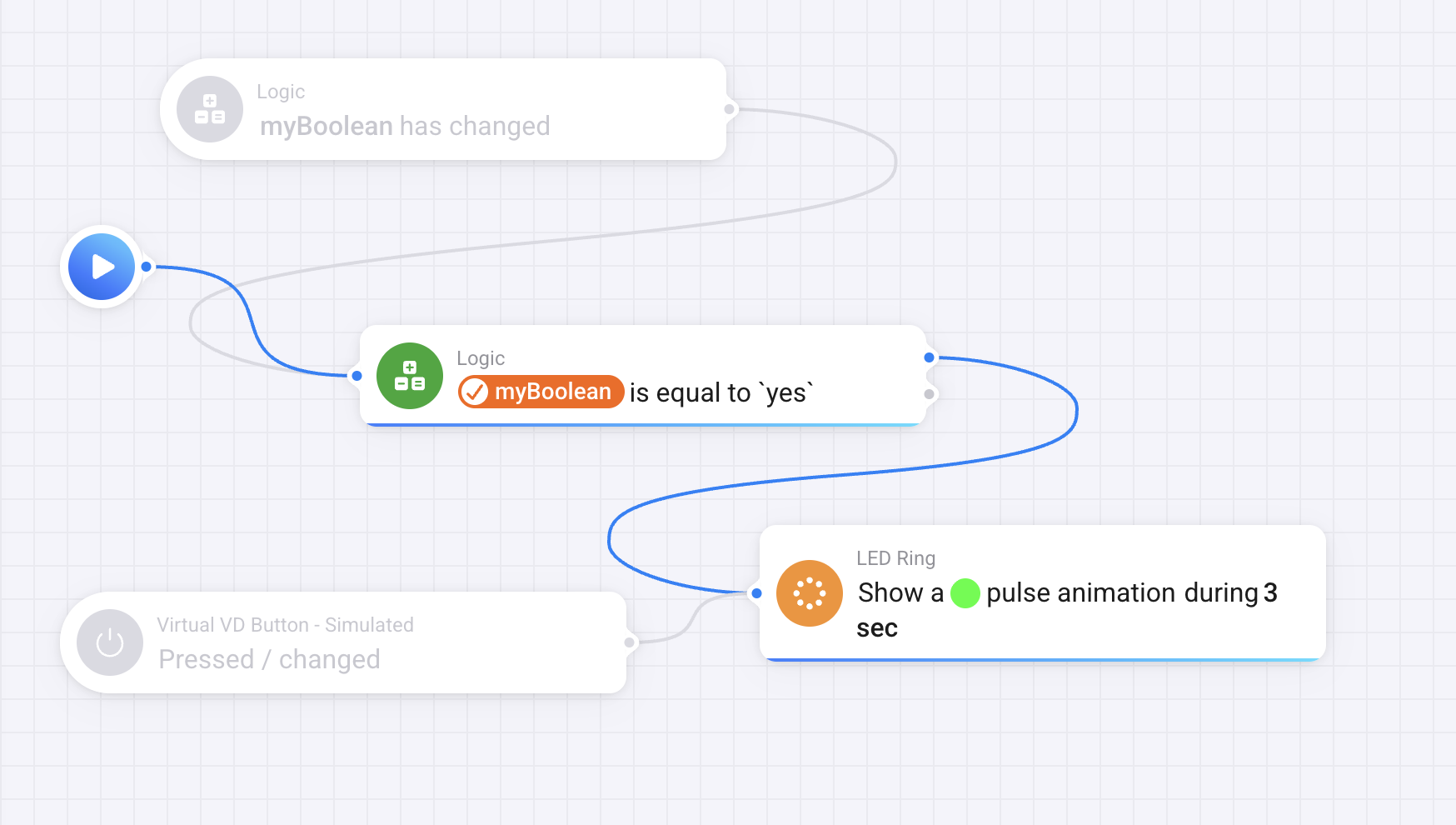
I cut down the flow so it just does a pulse animation. It works when I test it from the flow editor. The custom tile seems to be unable to start the flow (Enable Tracker).

You said

opening the Developer Tools on your browser and watch the network logs or console logs when using the Custom Tile.

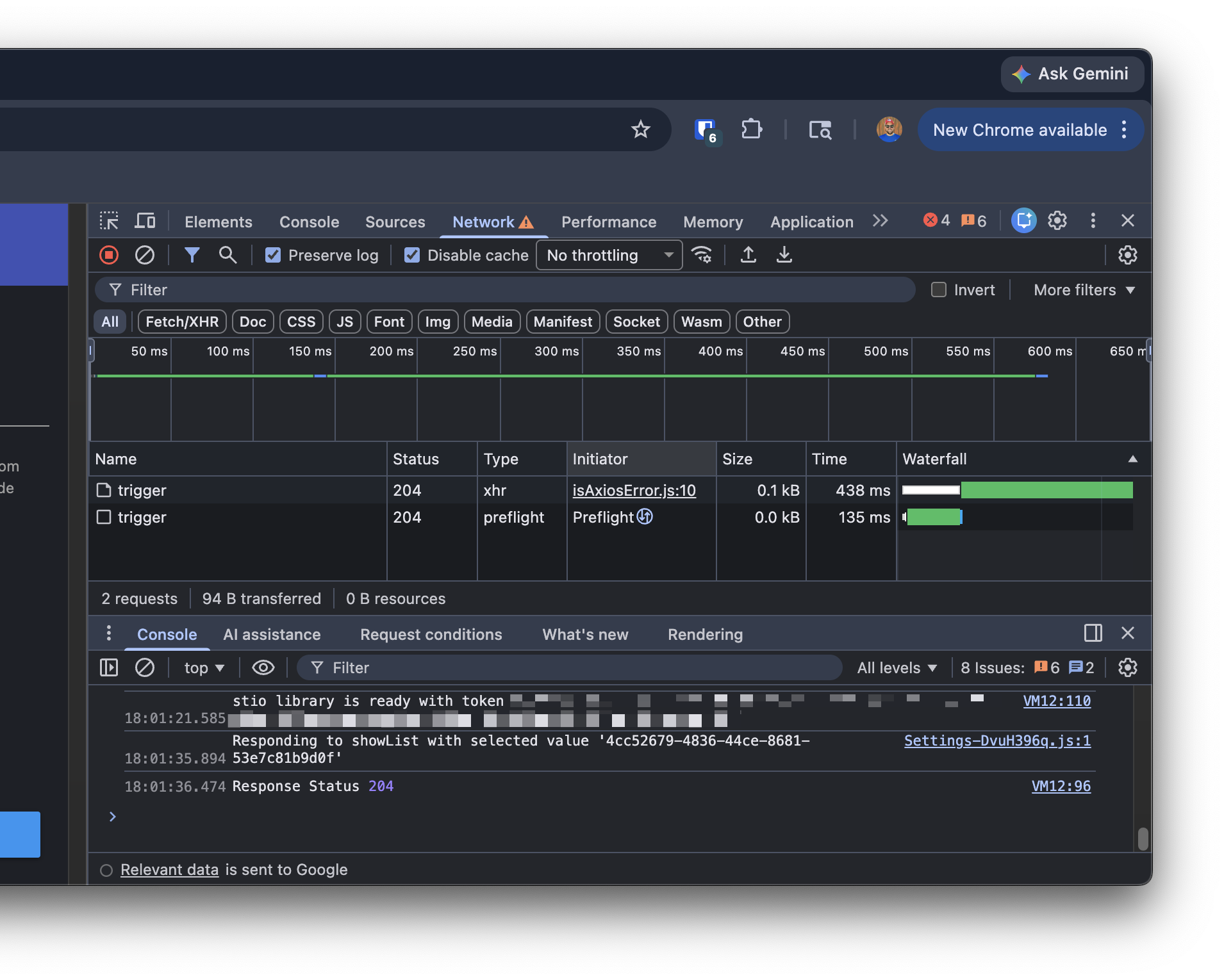
When I open the dev tools I do not see the network or console logs.

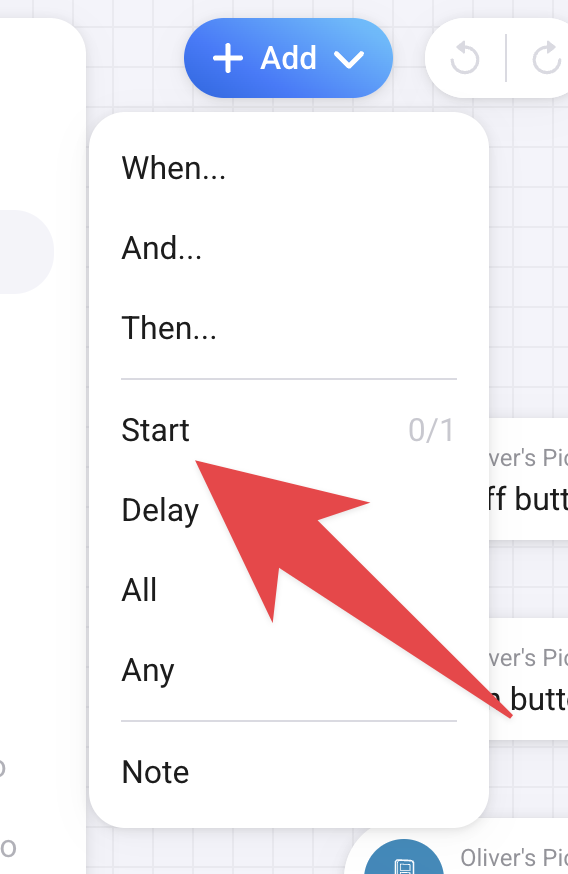
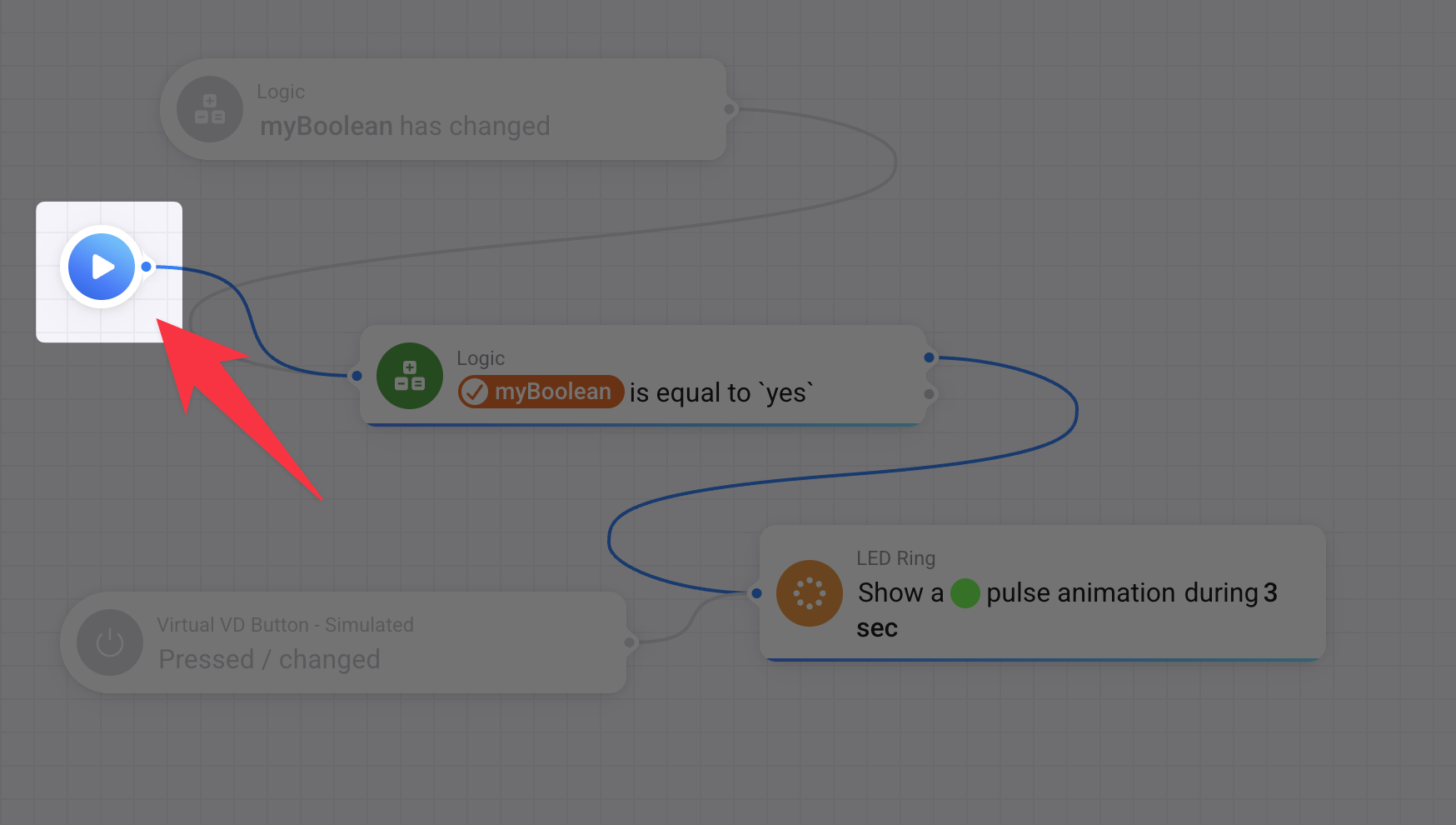
The Advanced Flow variant was developed by community member @Alexander_Jeppsson so I can’t speak to it in detail… and it’s been a while since I originally played with it, but I suspect you may need an explicit ‘Start’ node.

From my previous screenshot, it’s the play button icon. And it’s called ‘Start’ in English in the ‘Add’ menu of Homey Advanced Flows and is just after the first separator line in the menu.


I was referring to the browser’s developer tools. In Chrome you would hit the ... menu and go to More Tools > Developer Tools. Probably worth doing a search online if you’re not familiar with it or if you feel it’s too technical, it’s not necessary – some people prefer to dig into the details, so I wanted to share it as an option. :slight_smile:

I created a new api key with full access: {REDACTED}

Network log shows I’m getting a 204 (no content) error.

Console log shows a 401 unauthorized error.

first request;

Request URL

https://693142487e08692d5ca3a563.connect.athom.com/api/manager/flow/advancedflow/2f0ef668-6493-4018-a389-9559d7bca5f6/trigger


Request Method
OPTIONS
Status Code
204 No Content
Remote Address
34.252.121.85:443
Referrer Policy
strict-origin-when-cross-origin
access-control-allow-headers
authorization
access-control-allow-methods
GET,HEAD,PUT,PATCH,POST,DELETE
access-control-allow-origin
\*
date
Fri, 17 Apr 2026 23:56:10 GMT
vary
Access-Control-Request-Headers
x-athom-instance
SoT3Ob
x-powered-by
Express
:authority

693142487e08692d5ca3a563.connect.athom.com


:method
OPTIONS
:path
/api/manager/flow/advancedflow/2f0ef668-6493-4018-a389-9559d7bca5f6/trigger
:scheme
https
accept
*/*
accept-encoding
gzip, deflate, br, zstd
accept-language
en-US,en;q=0.9,de;q=0.8
access-control-request-headers
authorization
access-control-request-method
POST
origin
https://run.sharptools.app
priority
u=1, i
referer
https://run.sharptools.app/
sec-fetch-dest
empty
sec-fetch-mode
cors
sec-fetch-site
cross-site
user-agent
Mozilla/5.0 (Windows NT 10.0; Win64; x64) AppleWebKit/537.36 (KHTML, like Gecko) Chrome/147.0.0.0 Safari/537.36

second request:

Request URL

https://693142487e08692d5ca3a563.connect.athom.com/api/manager/flow/advancedflow/2f0ef668-6493-4018-a389-9559d7bca5f6/trigger


Request Method
POST
Status Code
204 No Content
Remote Address
34.252.121.85:443
Referrer Policy
strict-origin-when-cross-origin
access-control-allow-origin
\*
date
Fri, 17 Apr 2026 23:56:10 GMT
x-athom-instance
EWp7I3
x-powered-by
Express
:authority

693142487e08692d5ca3a563.connect.athom.com


:method
POST
:path
/api/manager/flow/advancedflow/2f0ef668-6493-4018-a389-9559d7bca5f6/trigger
:scheme
https
accept
application/json, text/plain, */*
accept-encoding
gzip, deflate, br, zstd
accept-language
en-US,en;q=0.9,de;q=0.8
authorization
Bearer {REDACTED}
content-length
0
content-type
application/x-www-form-urlencoded
dnt
1
origin
https://run.sharptools.app
priority
u=1, i
referer
https://run.sharptools.app/
sec-ch-ua
“Google Chrome”;v=“147”, “Not.A/Brand”;v=“8”, “Chromium”;v=“147”
sec-ch-ua-mobile
?0
sec-ch-ua-platform
“Windows”
sec-fetch-dest
empty
sec-fetch-mode
cors
sec-fetch-site
cross-site
user-agent
Mozilla/5.0 (Windows NT 10.0; Win64; x64) AppleWebKit/537.36 (KHTML, like Gecko) Chrome/147.0.0.0 Safari/537.36

A 204 is normal and indicates success (the Homey server didn’t need to include a response body)

The logs you shared show that it’s triggering the advanced flow as expected, so i would check the other items I mentioned around configuring the Advanced Flow with an appropriate Start node connected into the flow.

PS. You mentioned a 401 but it wasn’t clear what the request was for. The logs clearly show the selected flow being triggered though, so it’s pointing toward the configuration of the flow itself.
1 Like

That START worked. Thank you very much.

This topic was automatically closed 10 days after the last reply. New replies are no longer allowed.