This approach was originally documented by James as it was a neat way to display traffic data using a normal Media Tile, but now that we support Custom Tiles that opens up a much wider range of options.
Waze Traffic Map
For example, Waze offers an embeddable map that you can configure to fit your needs. And you can have it periodically refresh using the Refreshable URL Custom Tile in this thread so it’s displaying up-to-date traffic (though Waze recommends not going overboard with how often you refresh).
NY Traffic: https://embed.waze.com/iframe?zoom=12&lat=40.712775&lon=-74.005973
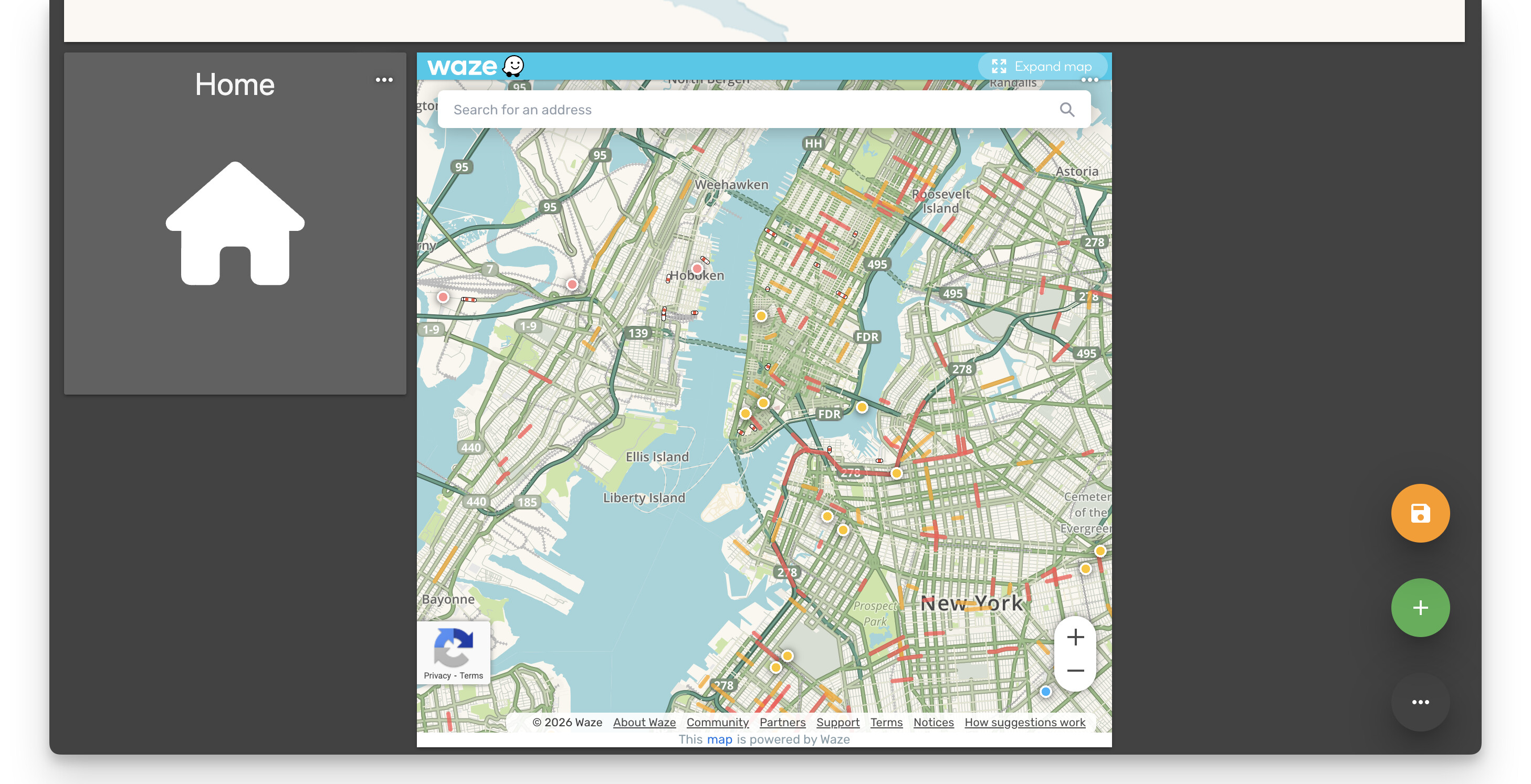
From a quick search, it seems like there’s a variety of parameters you can tweak:
-
lat/lon— center coordinates -
zoom— zoom level (0-17) -
pin=1— show a pin marker -
desc=1— show description text
Change to Azure Maps
As Dmitri mentioned above, it looks like Bing Maps was transitioned to Azure Maps. I went through the setup process and it’s not nearly as straightforward as with the original Bing Maps Portal, but the high-level version was:
- Login or Create an Azure Account
- Ensure that account has an Azure subscription (eg. free trial)
- In the top search bar enter ‘maps’, then select
Azure Maps Accounts - Tap + Create and follow the prompts
- I created a new Resource Group called
Maps-Testand named my InstanceMaps-Test-1and left the default region and pricing tier, then hit Review + create to skip the various advanced settings
- I created a new Resource Group called
- After the resource is created, click Go to resource
- When viewing the Resource, tap the View Authentication and copy the Primary Key
Then you can use a URL like the following:
https://atlas.microsoft.com/map/static?subscription-key={YOUR_KEY}&zoom=10&tilesetId=microsoft.base.road&api-version=2024-04-01¢er=-96.8900,33.0900&height=500&width=500&trafficLayer=microsoft.traffic.relative.main
I have not looked into the API limits closely, nor do I use this approach myself. From a brief search of their documentation, it looks like their free tier includes 1000 static map images per month, so it looks like an hourly refresh on a single dashboard would be supported with that.
Community Google Maps Approach
I don’t personally use it, but some community members have mentioned that they have had success searching for {My City} Traffic on Google and copying the image that is displayed. As noted in the linked thread, I don’t know how long the URLs last or their licensing restrictions or anything. The original ‘St Louis Traffic’ example from my 2020 reply still seems to be working 5~6 years later, but I don’t know if it accurately reflects the updated traffic or not.