This Custom Tile displays a countdown to a date/time stored in a SharpTools Variable. It works well for reminders, temporary timers, trash day, event countdowns, or anything else where a dashboard should show “how long until”.
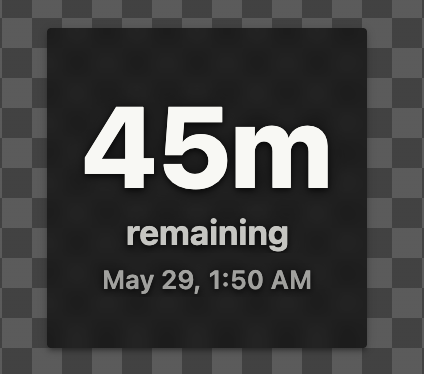
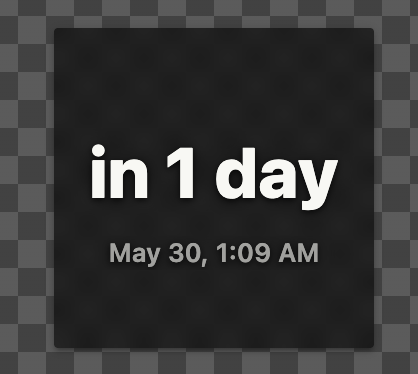
Import SharpTools Tile: Countdown Timer
Features
-
Countdown from a SharpTools
TextorNumberVariable -
Friendly display format:
in 3 hours -
Optional precise formats like
19h 49mor19h 49mwith47sdetail -
Date-only ISO strings display naturally
-
Transparent default styling so it works with dashboard tile backgrounds
-
Optional Dark and Light themes
-
Optional tap actions for quick set/extend
Supported Variable Values
Text Variables
Supports common ISO formats and unix timestamps:
-
2026-05-30 -
2026-05-30T19:00 -
2026-05-30T19:00Z -
Unix timestamp strings
Number Variables
Supports Unix timestamps. Milliseconds are recommended, but seconds are also accepted.
Configuration
Basic Setup:
-
Choose Variable Type:
TextorNumber -
Select the Variable
Advanced options:
-
Time Format: Friendly, Precise, Precise + Detail
-
Show/hide the target date / time
-
After-target behavior
- Show a customizable
Time’s Uptext or start counting ‘up’ from the time
- Show a customizable
-
Warning threshold
-
Theme
-
Tap Action: Quick Set / Extend
When the Tap Action is enabled, you can tap the tile to update the associated variable with common targets like In 15 minutes, In 1 hour, Tomorrow, same time, or open a custom entry form.