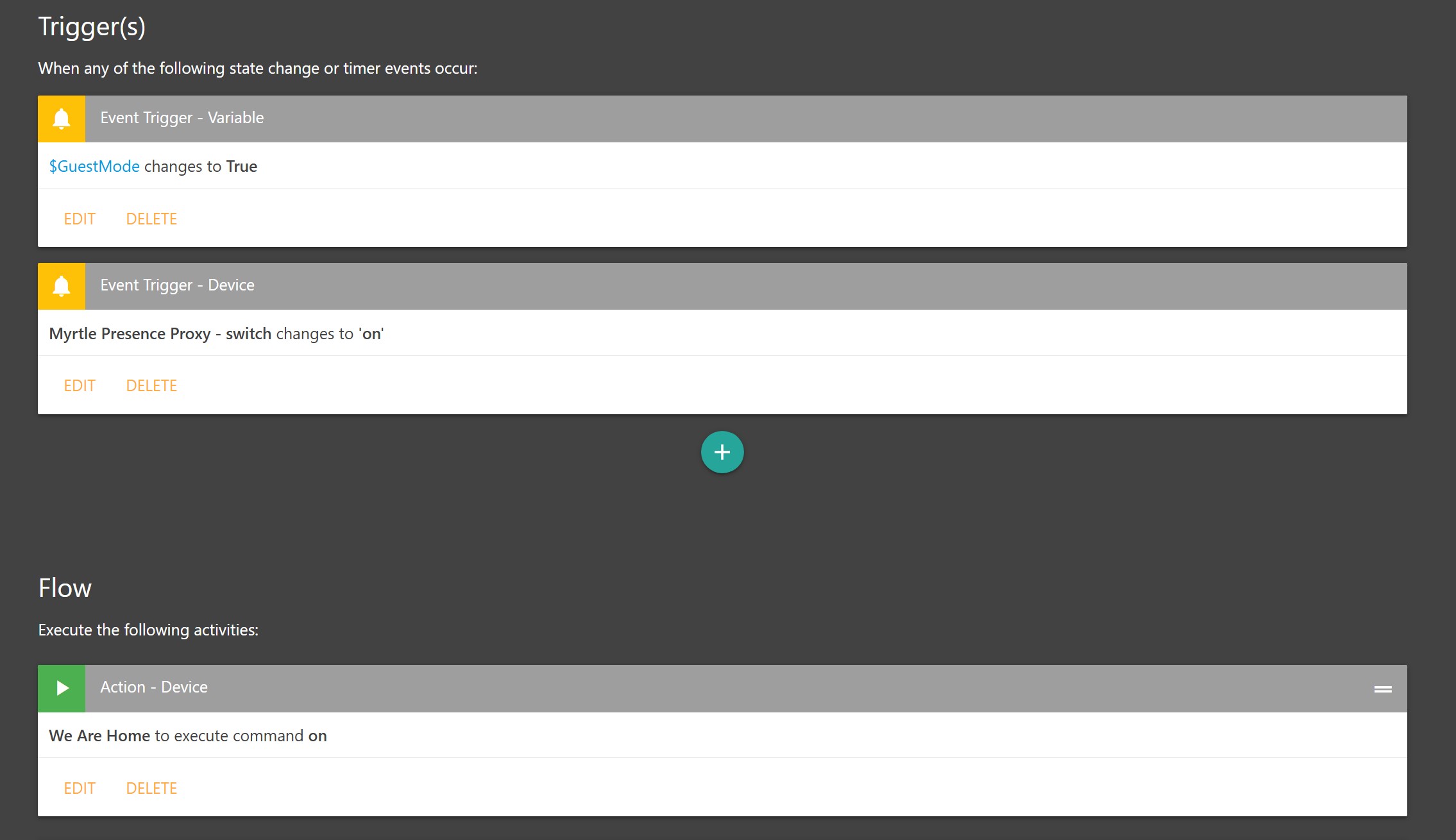
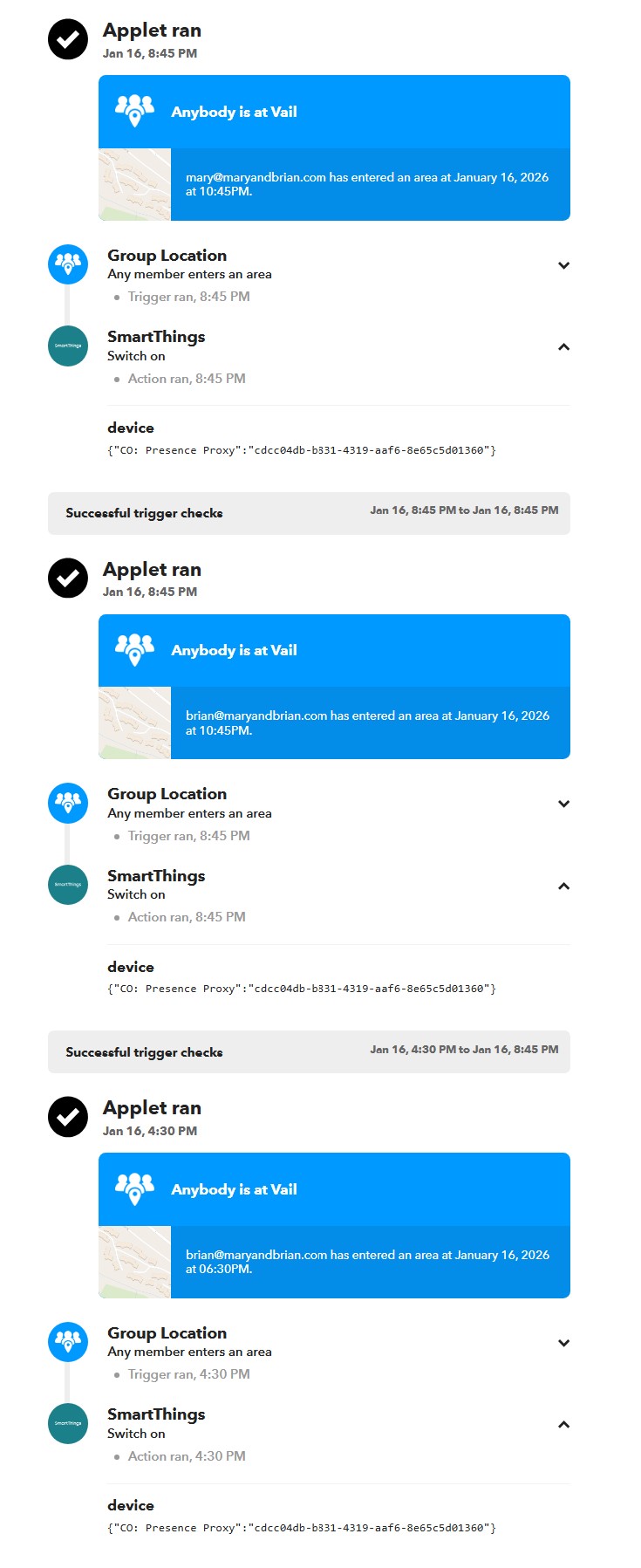
I have two homes with Smarthings in both locations and sharptools rules driving both locations. Everything used to be fine, but this year I am noticing rules firing in the location I am not at. Example, I have rules for Colorado and South Carolina, This rule is for South Carolina
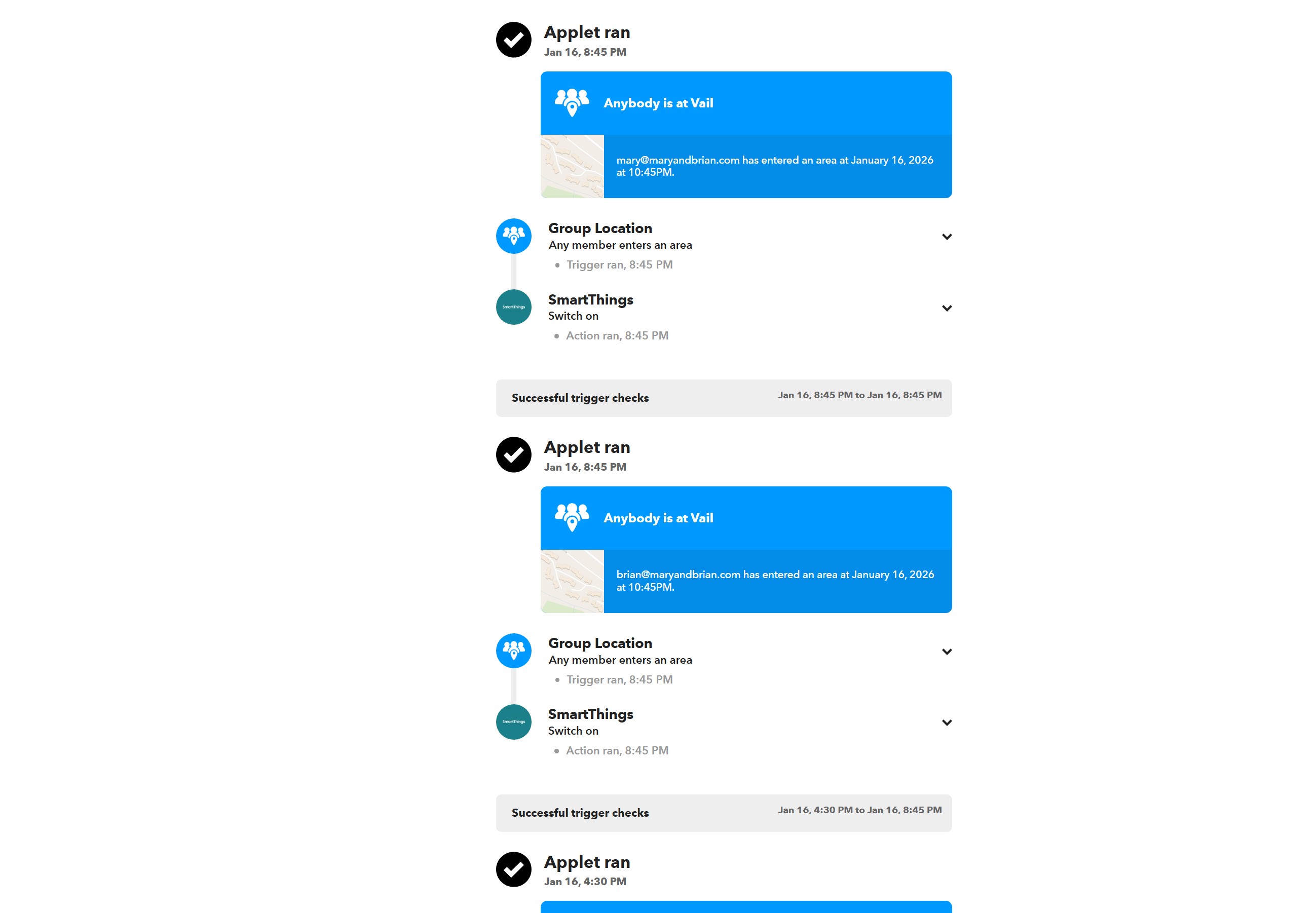
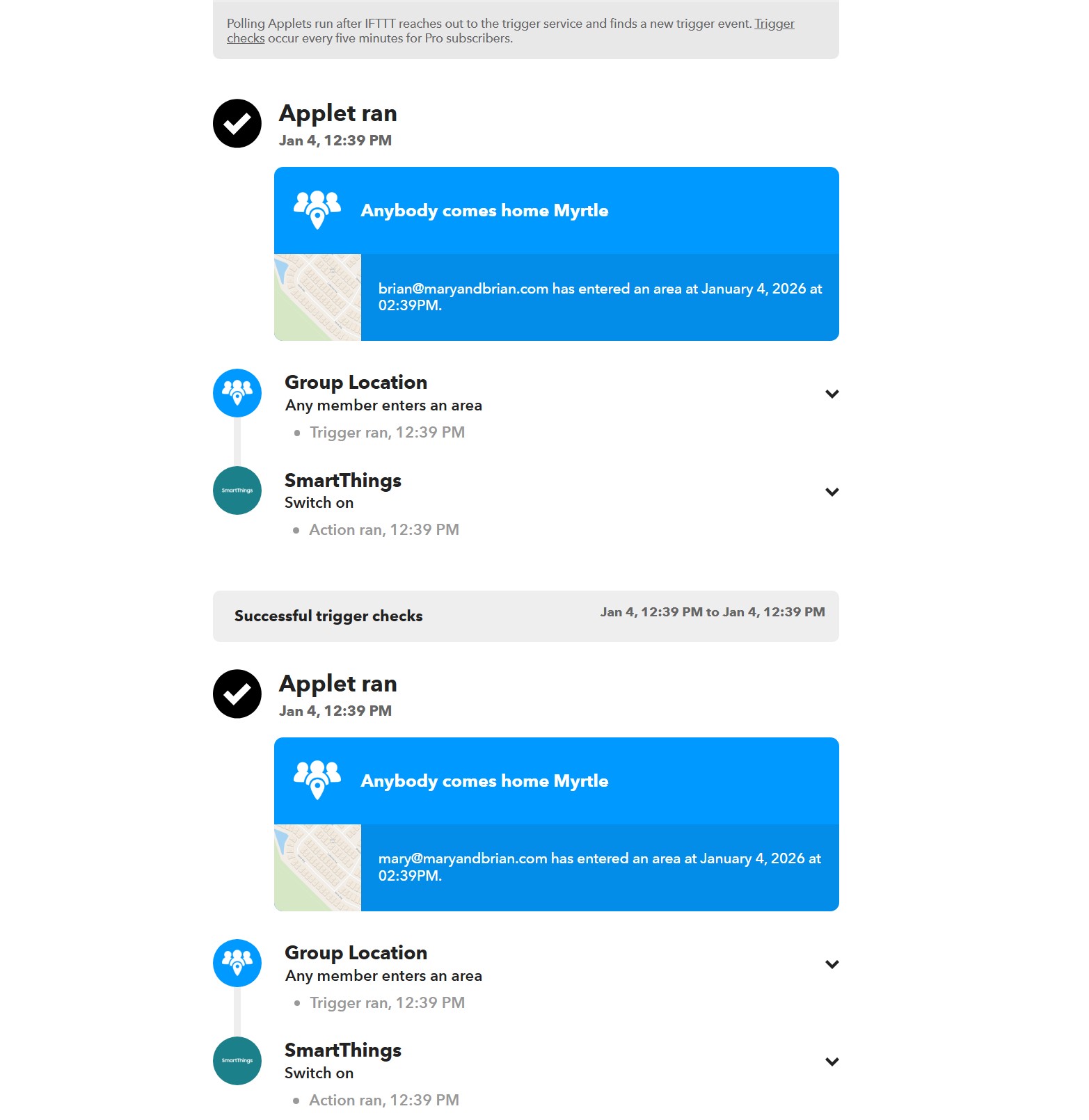
All conditions are false, but this rule appears to be filing regardless. Colorado devices are all prefaced by CO: and I have check the rules and find NO reference in the Colorado rules to these variables (it would be great to have the feature request for tracing variables to rules available, but a manual check shows none of these referenced. It appears for some odd reason both the CO: At Home Vail and We are home for South Carolina are both triggering when we are home in Colorado, even though we are 1900 miles apart. Has something changed that would cause this, as I said this has never happened in the past. I should note I have made one change in this rule, there are 2 presence proxy variables which are set by either IFTTT or smarthings based on presence of 2 phones (this was at the time having issues with IOS presence). I have checked the IFTTT rules and that side has not fired for Myrtle, only Colorado has fired. See below Myrtle has not fired since 1/4
The thing that is odd is the IFTTT rule that ran sets CO: Presence Proxy NOT the myrtle presence proxy. The rule that sets that hasnt executed since 1/4
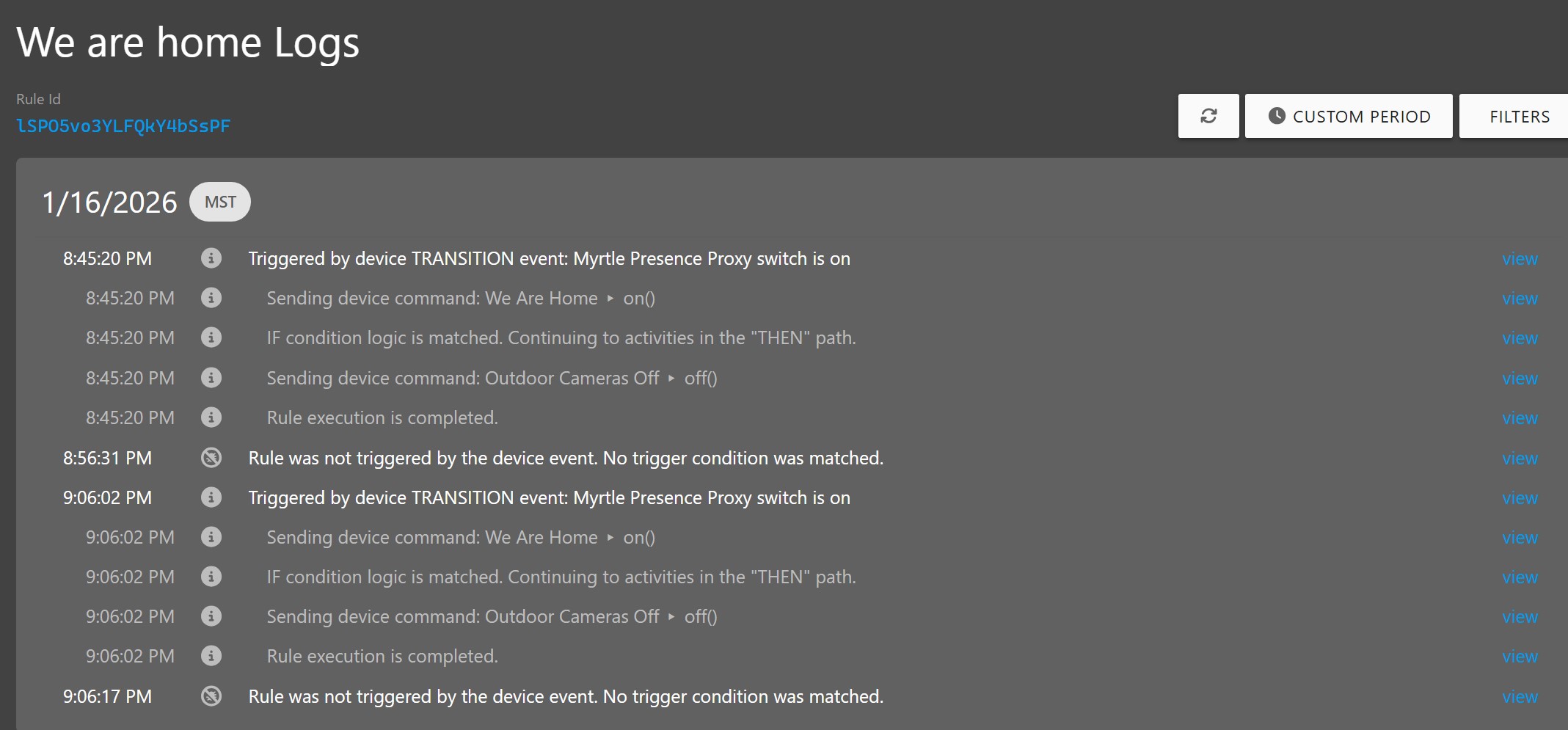
The logs indicate that the rule is triggering because the Myrtle Presence Proxy switched on.
I would try to trace down what is causing that switch to turn on. Sometimes your source smart home platform can provide some clues. If not, it’s the old school approach of tracking things down.
From the SharpTools rule side of things it just sees that the switch turned on and knows that triggers the rule.
I finally found this and its back to an old problem that keeps raising its ugly head. Sharptools was showing when you looked at the rule CO: Presence Prox on, however when you hit edit on the statement it shows Myrtle Presence Proxy was actually the device being acted on. This is an absolute pain in the butt to figure out since the UI is showing one thing that is disconnected from what is actually happening. Net you can’t really trust what the rule display is showing but rather you need to hit Edit on every statement to figure it out. There must be a means to fix this so users dont spend hours or days chasing their tail. I believe there is an open feature request on this where renaming a sensor causes disconnects between what is shown in the rule display and what is actually happening (only shown when you edit the statement).
Thanks for the update and sorry to hear that the cached names added confusion and caused some headaches.
I would note that it’s the names that are cached for display purposes – it’s always the unique device ID that’s used for the actual rule configuration. So in order for it to display “CO: Presence Prox” instead of “Myrtle Presence Proxy” the device would have had to have been renamed between originally setting up the rule and when it was later reviewed – does that sound like what happened for you?
I agree that this caching of the device names has been noted in the community before, but I’m not sure there’s a Feature Requests for it, so if you want to create one, please feel free to do so.
Agreed, its mot a standalone feature, but rather called out in the feature request attached, the net is there is no way to find where a device is used, and you cant really trust what is being displaed in the rule text. Ability to see what rules a device belongs to