Hello team!
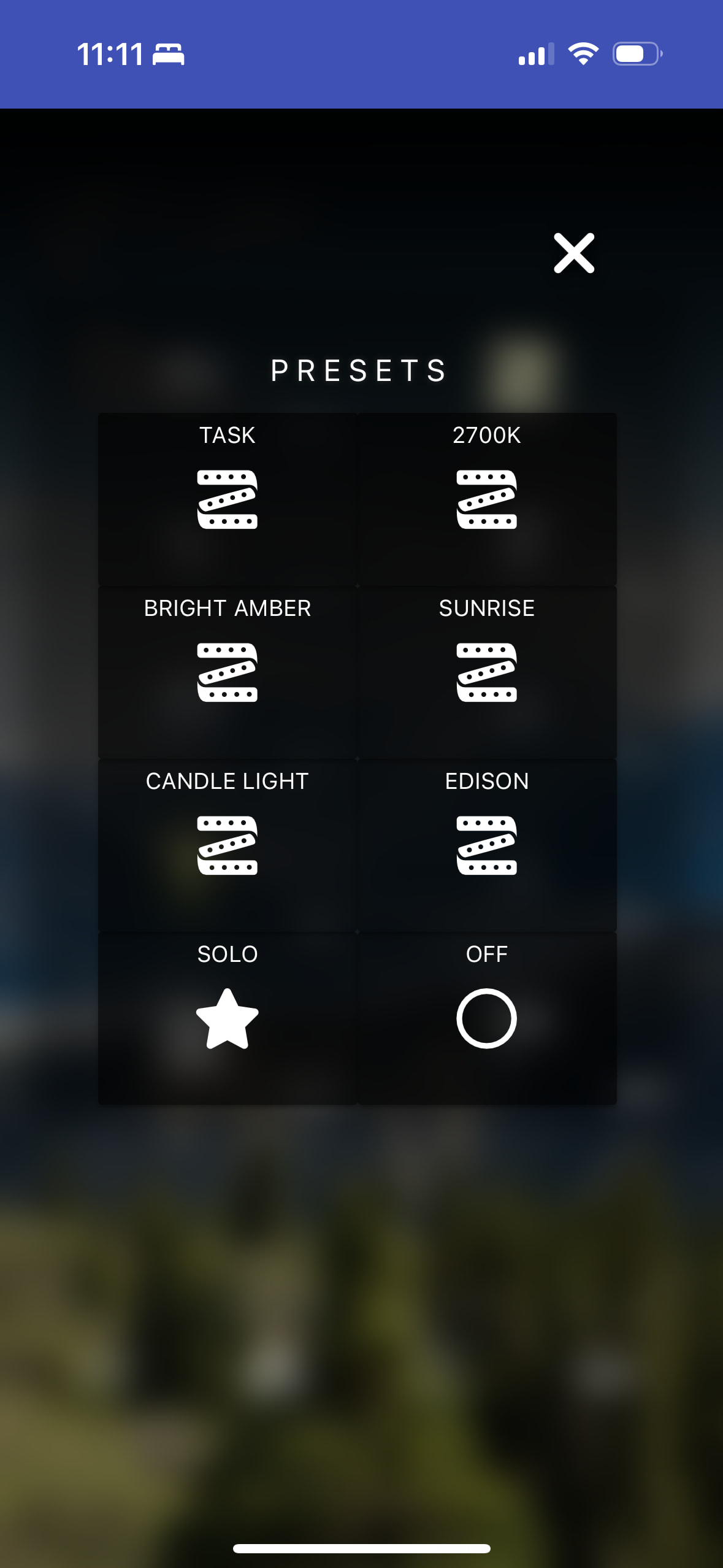
A short while back (around the time that I believe there was notice about a significant backend change), I noted that any dashboards I have that are displayed as a modal ‘popup’ no longer display any tile colouring. If I attempt to edit the dashboards in question - or navigate to them directly - the styles render as they used to. I’m experiencing the same behaviour on Mac OS, iOS (multiple versions), and Android (multiple versions).
I’ve shared a few screenshots below for reference. Any suggestions? 
Colouring displayed properly when directly navigating to the dashboard’s URL:
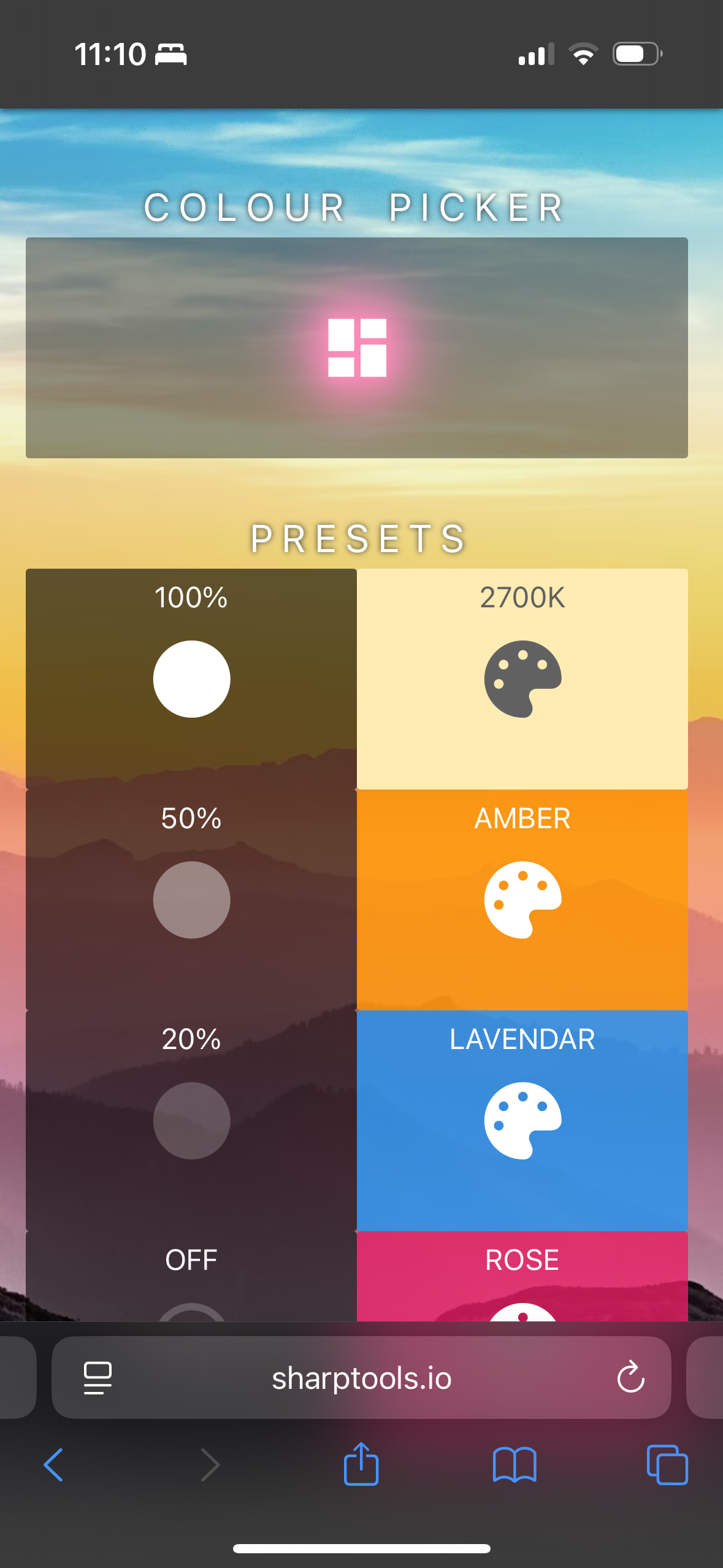
Colours disappear when accessing this dashboard by-design, which is via a popup:
Interesting to note that the unfortunate blue island banner is seen here, but is a muted grey when accessing the dashboard directly.
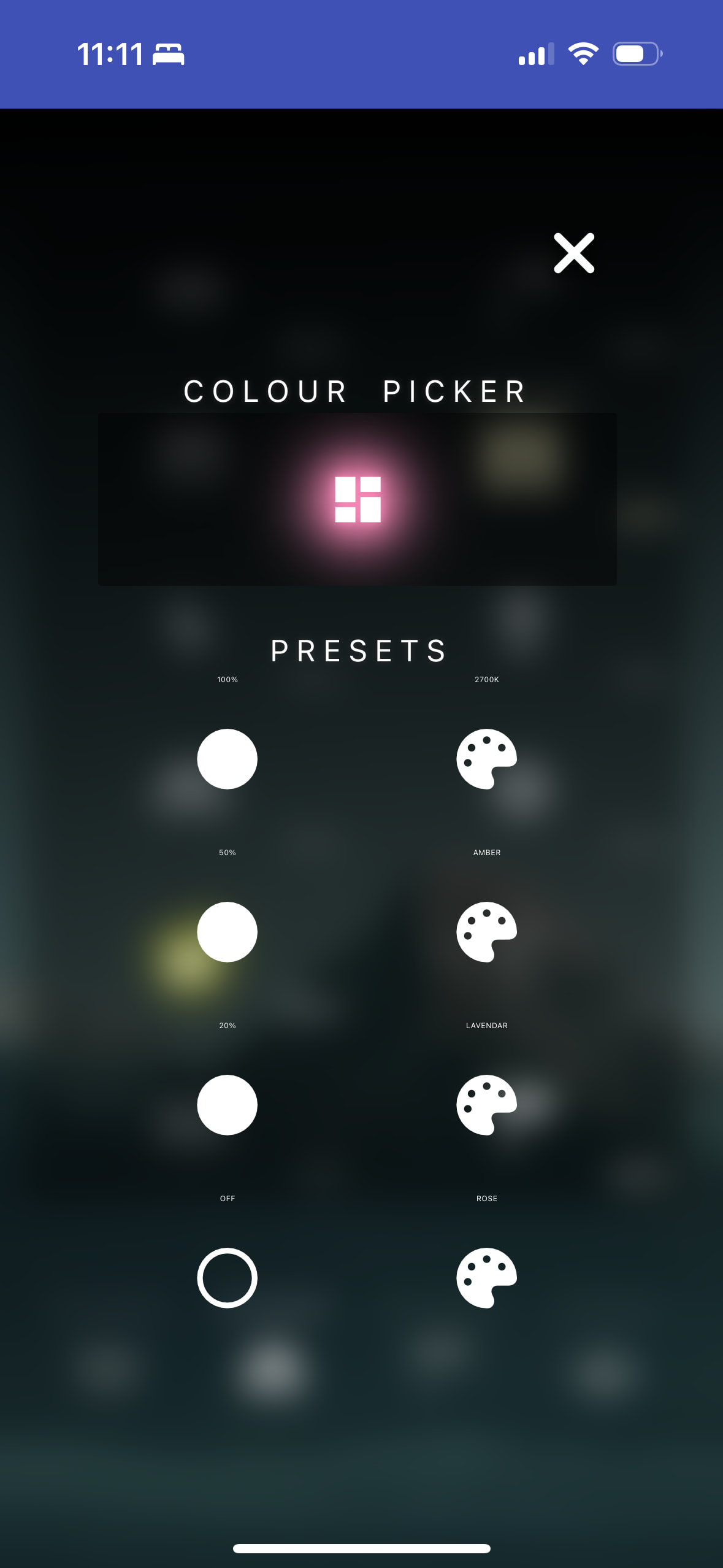
Another instance of colours displaying properly when directly navigating to the dashboard’s URL:
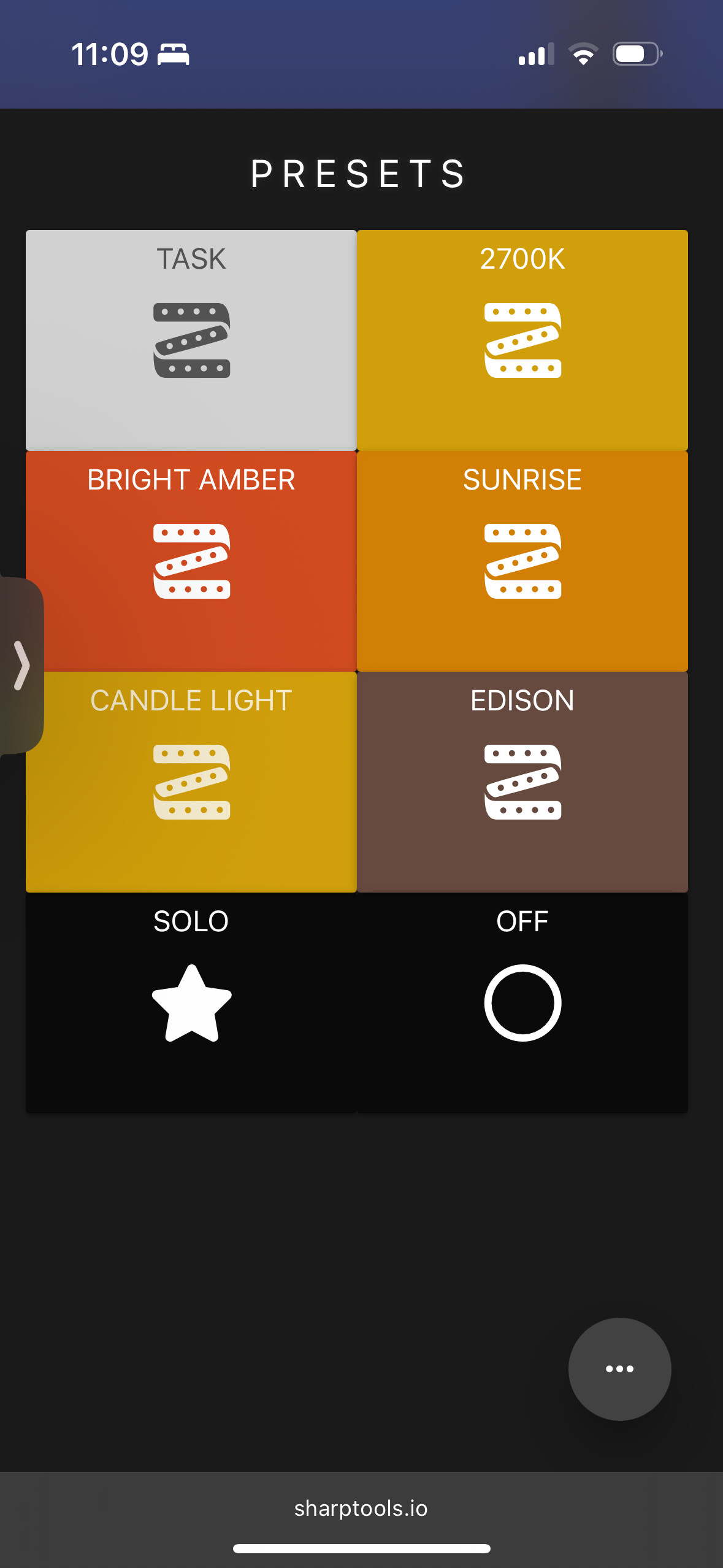
Colours disappear when accessing this dashboard by-design, which is via a popup: