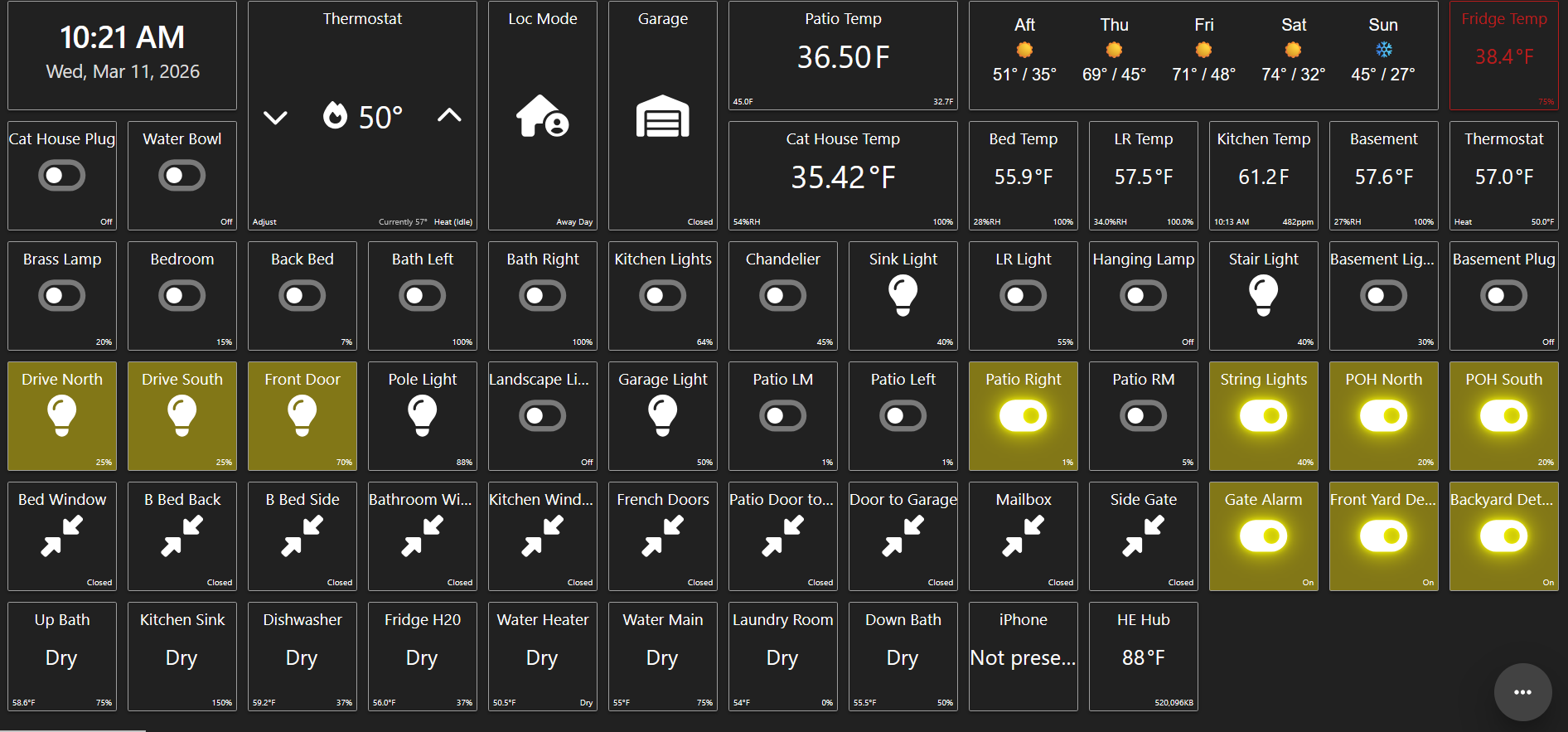
I use SharpTools dashboards to monitor my home in the U.S. from my home in Mexico. This morning, when I checked the dashboards on both my PC and a Fire Tablet, several exterior lights were shown as on. However, they are actually off—Hubitat successfully turned them off at sunrise.
I rebooted both the Hubitat hub and the Fire Tablet, but SharpTools still shows the lights as on, even though my cameras confirm they are off. When I log into Hubitat and look at the devices, Hubitat shows them as being off.
If I turn the lights off from the SharpTools dashboard, they show as off until I refresh the dashboard. After refreshing, they appear on again. Everything has worked perfectly until today, and I’m stumped.
Any ideas as to what happened here? How can I get SharpTools to display the correct device states?
Thanks for reporting and sorry to hear that things aren’t working as expected. I would proceed through the authorization flow again starting from SharpTools to perform a fresh device sync.
There was a ~10 minute period this morning around 7:53 AM - 8:04 AM CST where our datacenter provider had network ingress issues so I suspect this could be related.
Alternatively, you could toggle the lights through the statuses and then back to the expected status. If the lights were showing as ‘on’ in SharpTools but Hubitat thought they were off, Hubitat would accept the ‘off’ command but wouldn’t actually emit an updated ‘off’ state. So toggling it back ‘on’ from there would actually turn the lights ‘on’ and emit the ‘on’ state, then toggling back ‘off’ would emit the ‘off’ state.