I have 5 panels each with a background color matching the wall color in the room they reside. This morning, all of the background colors turned to black. I am unable to change the background color back to the desired color. What changed?
Can you share more details about your setup? Are you using the standard Background Color feature of the Theme Editor or perhaps you are using Custom CSS to get a specific unique background color?
If it’s the latter, can you share your CSS snippet?
My panels have been in operation for years with little change. I have not made any changes in months. The lack of background color just showed up this morning…
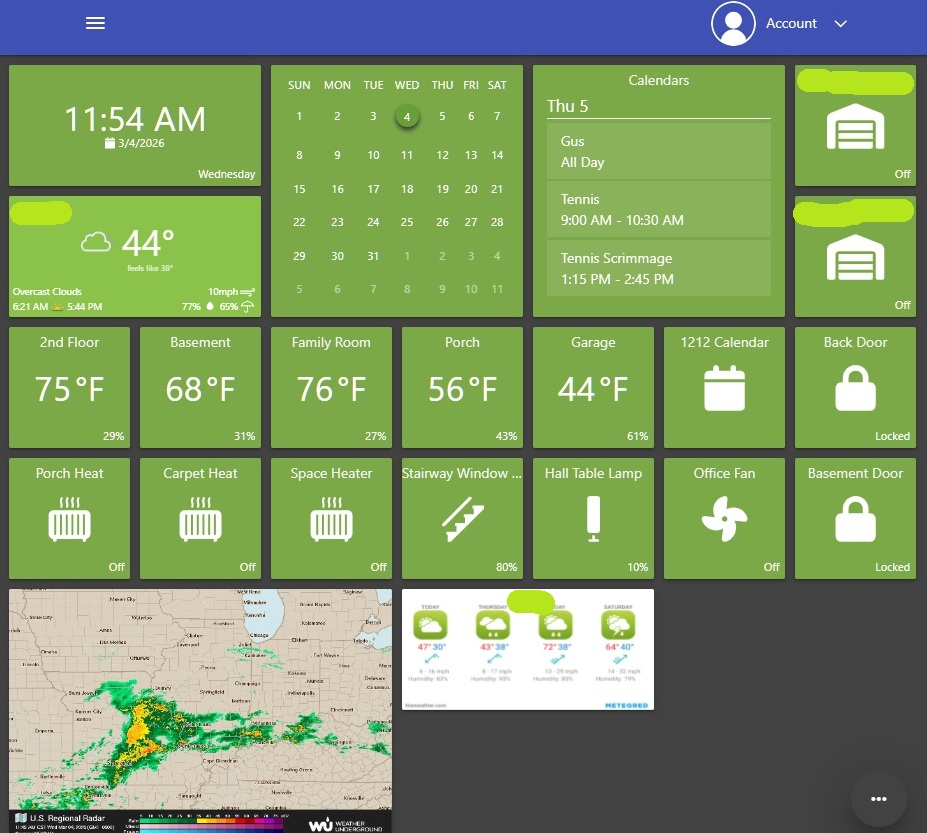
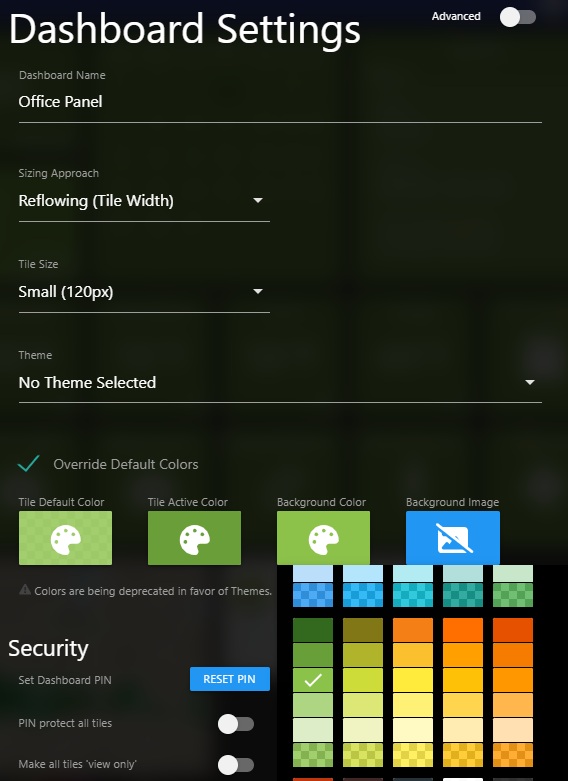
Thanks for sharing the screenshots! I just pushed an update which should resolve this. Can you refresh the page in your browser for each of your impacted dashboards and see if that fixes things?
We recently pushed out a major upgrade to the framework that powers our frontend and this seems to be related to that.
It looks like you’re still using the legacy Override Colors setting and I must have missed that with testing since it only shows up for dashboards which already have that legacy setting. The recommended approach is to switch to using Themes now, but refreshing your page should pull in the latest frontend version 260304.1909which includes a fix for this.
That fixed it. Thanks for the quick response and fix.
2 Likes
This topic was automatically closed 5 days after the last reply. New replies are no longer allowed.