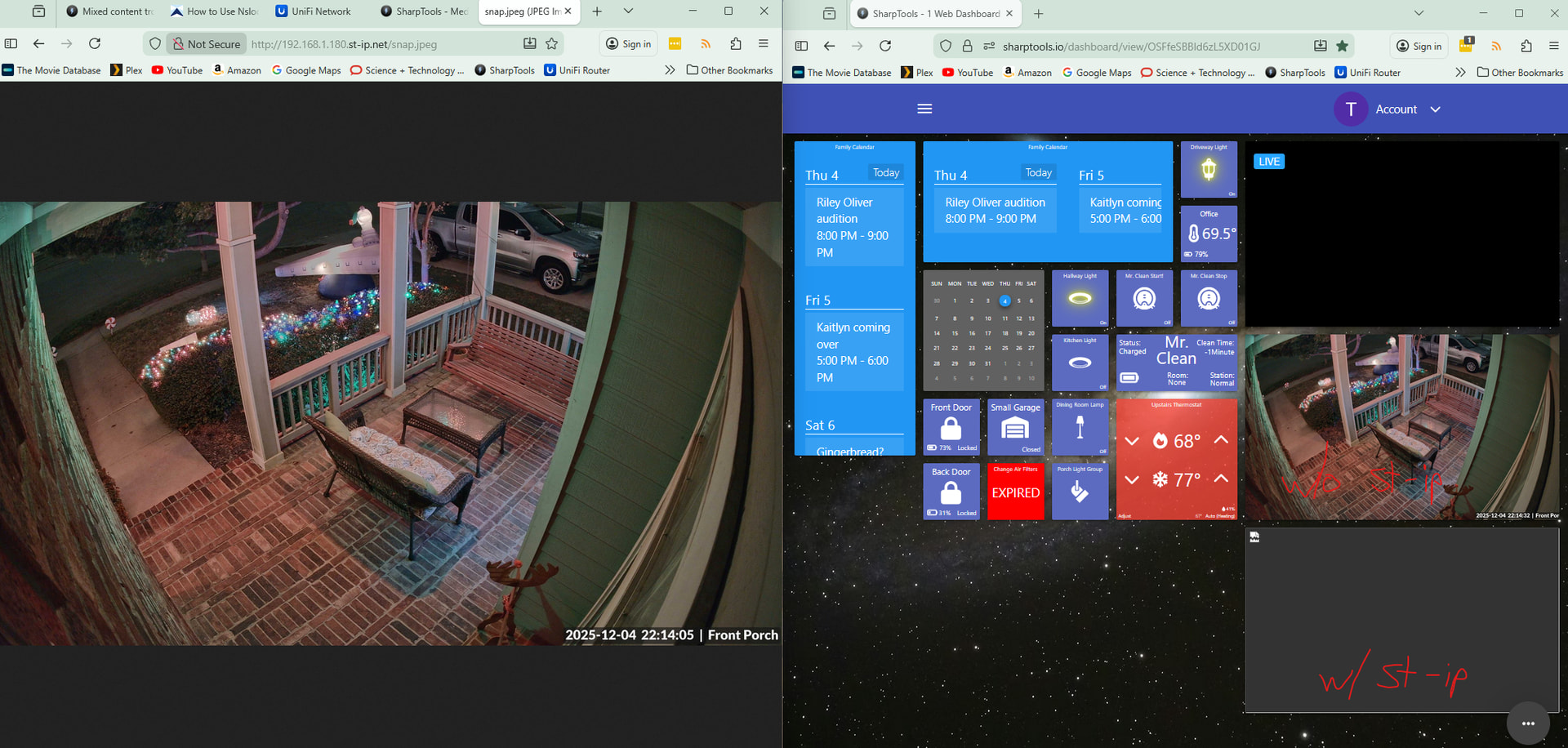
I have 3 devices showing Sharptools dashboards at my house:
Windows 11 PC running Firefox browser
Raspberry Pi running Chromium browser
Amazon Fire 10 tablet running Fully Kiosk browser
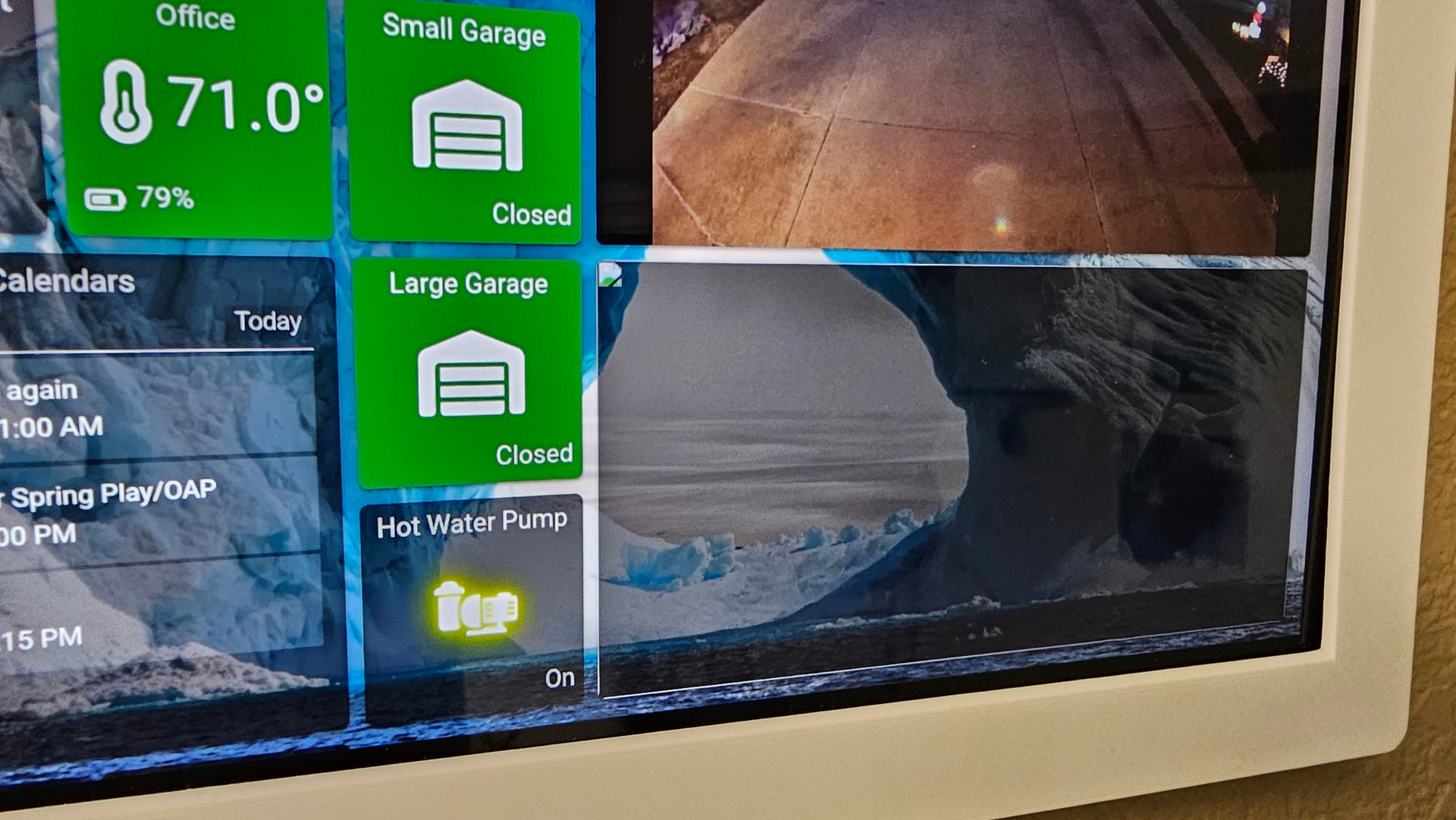
Upon initial setup using default settings, the feed is not encrypted. The media tile showed up just fine on my Windows 11 PC and the Raspberry Pi, but as expected it could not be displayed on the tablet (“Failed to load image…learn more”). I found that Unifi has the ability to SSL-encrypt the camera feed, so I thought if I turn that on then it would work for all three devices. I turned it on and updated the media tile with HTTPS, and the result is that the Win11 PC still works fine, but now both the Raspberry Pi and the tablet are showing an empty tile:
Not being very knowledgeable on encryption, I thought I would go back to the unencrypted (HTTP) URL and try setting FKB Mixed Content Mode: Always Allow Mixed Content. Now the Windows PC and Pi work fine but the tablet still shows the “Failed to load image…learn more.” It seems that this setting had no effect.
Does anyone have any suggestions what to try next? Thanks in advance!
Am I understanding correctly that the media resource always works fine on the Windows PC (Firefox) and the Raspberry Pi and always fails to load on the Amazon Fire Tablet?
Have you tried opening the Camera URL that you’ve used as the Media Resource URL in SharpTools directly within the Silk browser (or Fully Kiosk Browser) on the Fire Tablet just to verify basic access from the tablet? Perhaps its some sort of network configuration difference between the different devices?
Are you using a local IP address of the Ubiquiti camera or some other special configuration like a host name?
It always works correctly on the Windows/Firefox machine. The Pi works fine if it is unencrypted (http) and fails with the same empty box as the tablet (in my screenshot) when I set it to https. The tablet always fails, but with slightly different outcomes (the failed to load image message when using HTTP and the empty tile when using HTTPS).
I will test the camera URL on the fire tablet and report back.
I am using the local IP address of the camera, so that should avoid a DNS problem.
I tested the camera URL in Silk and in Fully Kiosk (outside sharptools) and it worked properly in both browsers. Does it imply there is still a problem with mixed media, even though I changed the setting to allow it?
Allowing Mixed Content in the Full Kiosk settings and then using the non HTTPS configuration from the camera is what I would expect to work.
Enabling SSL on most cameras usually just enables the camera to respond over HTTPS but the cameras usually just respond with an untrusted locally generated certificate which isn’t very helpful as most browsers wont allow that unless they’re explicitly configured to allow it.
OK, that helps explain why it doesn’t work with SSL enabled. I’ll double check the settings on FKB and maybe try upgrading it… I am on 1.58 and I see 1.59 is out.
Update: I was able to get it working using two different settings so that each device is happy.
For the tablet, I have tried many different settings and then came back to adding the st-ip.net workaround, and now suddenly it works in FKB. I tried it before so I think it must be dependent upon some other setting I’ve changed in the last few days, but I’m not sure which Anyway, it works now using that.
However that broke it on Windows and the Pi (got the empty tile again). It works on those devices only if I DON’T use the st-ip.net workaround. So I just duplicated the media tile and set one up with st-ip and the other without, but both pointing to the same camera.
So now all my devices work; I only wish I understood why the st-ip workaround is required for the tablet but cannot be used on the other devices.
I’m wondering if there could be some sort of different in network connectivity or network resolution between the devices considering the differences you’ve mentioned.
Per the networking comment above, I wonder if the network resolution on those devices is different somehow. You could try to manually verify the network resolution from the command line on your windows PC for the st-ip.net address you’ve used – it should resolve to the local IP address that you’ve used.
You mentioned that you’re using Ubiquiti cameras… are you also using Unifi networking gear?
You are correct, I’m using Unifi networking. Early in my investigation I disabled one VLAN and pushed all my clients onto the same network - as of a few days ago they are all now in the same VLAN and same subnet. Pi-hole is configured as the DNS server in Unifi Network, so all clients use it for DNS. I haven’t tried disabling the ad-blocking in Pi-hole but I didn’t think that would be related.
I ruled out FKB itself as the cause because I replicated the same behavior in the Silk browser and Chrome browser on the tablet - in all 3 browsers if I went directly to the camera URL (without the st-ip) it would display fine (I assume because there was no mixed content), but if I opened my ST dashboard then it would fail to display. When I added the st-ip workaround then it appeared in all 3 browsers.
By the way, I really appreciate your willingness to help users figure out problems like this, that likely aren’t related to your software at all. It makes me glad to be a ST user!
If it were a DNS issue, wouldn’t we expect it to always fail on that client? Here I’ve got two firefox windows open. On the left I’m looking at the camera URL (using st-ip) and it works fine. But in a test dashboard it doesn’t - you can see the tile without st-ip works but the one with it doesn’t.
Not if it’s a Mixed Content issue (HTTP image in HTTPS site) rather than a domain / network resolution issue.
The big browsers seem to be tweaking their approach to this a lot over the recent years. I haven’t tested Firefox recently but Chrome just reintroduced special support for local IPs and it prompts you to give local network access.
So it’s possible Firefox is making a special exception for the local IP and allowing the mixed content, but it’s seeing st-ip.net as a public domain and not allowing an exception for mixed content by default. Chrome allows explicitly allowing mixed content for a domain, but I’m not sure if Firefox has a similar setting.
Thanks Josh! I did some digging and it seems Firefox is categorizing mixed content into active and passive, where active refers to scripts and is blocked by default, and passive refers to images and is not blocked by default. That explains why it supports the image without st-ip.net. It seems that it considers the link with st-ip.net to be active content and blocks it.
 Anyway, it works now using that.