Recently, like the last month or so, sometimes the background image does not load. For instance, what will load is just some colors insted of any image at all. I can refresh the page 10 times and still get this result. I’m getting this on 2 different Android phones (S25) and a Windows PC. What is interesting is if I switch from WIFI to cellular on the phones, the images will load correctly. I can then go back to WIFI and all loads correctly. Something similar happens on the PC. If I switch to cellular hotspot, the background images load correctly. Then go back to WIFI and everything works. Also, if I turn on my VPN, (when this is happening) the images will load correctly. The only thing I have noticed lately is the “socket connecting”, “socket disconnected” messages. Sometimes the “socket disconnected” is stuck at the bottom until I close and reopen. (both phones and PC)
Is there any network proxying or ‘security’ type tools on your network? Pi Hole or anything like that?
Has anything else changed recently about the images or the image source? I wonder if the image coming back from the imghippo source might be getting corrupted during the initial download (and cached) and switching the network connection is somehow helping with that.
Nope- Whatever is default/standard with Comcast/Xfinity. (unless they changed something…
Nope-
Some time ago, I was having the opposite problem (maybe a year or so ago). I could not get the images to load if connected to a VPN. I moved them from i.imgur.com to i.imghippo.com and the problem went away. All background images loaded correctly while using a VPN until lately. I tested this out yesterday using split tunneling with my VPN. If I select DO NOT USE with SharpTools, I cannot get the background images to load. No error or anything, just default colors. If I change the split tunneling and load SharpTools, everything loads fine. I don’t have a problem forcing SharpTools to go through the VPN, but it seems weird that I would have to. Also, on a Windows PC, my dashboard is always open and the screen is ON (doesn’t sleep). Apparently after some time SharpTools must disconnect. If things change, they are not reflected on the open dashboard. I would have to refresh it to see the changes. That’s when I notice the “socket connecting” at the bottom. Sometimes it doesn’t connect and I’ll have to close it and reopen. Is that normal?
So I had time to look into this bit today. Originally I had my background images hosted at imgur.com and they stopped working. Then I moved them to imghippo.com and now they are not working. I just moved them to postimages.org and they are working again.
Can you help me understand this process?
- I open a dashboard
- It loads with tiles
- Do my background images get pulled into SharpTools from the host then loaded to my dashboard, or are they getting called for and loaded directly into my dashboard from the host?
I’m now on my 3rd hosting site. I’m going to run out of them at some point. Is there a better way to host these images? Maybe directly in SharpTools???
This connectivity issue has been resolved with a visit from a Comcast Tech. They had a problem about a half a mile away that has been fixed— so they say.
EDIT: This is part of the issue as well. The 5 tiles in red all use the same background image from the same place. 4 of them are using the correct image and the 5th is using the default color as if it could not load the image.
They are loaded directly. The Custom CSS you mentioned above is basically telling your browser to load that image resource directly as the background image on any .tile with the active theme style applied.
Thanks Josh. That information leads me to believe this is a Comcast/Xfinity issue. Specifically ip address. This all started after Comcast did several days of system upgrades. We had to have the modem replaced. I think my ip address changed at that time. The only way the images load is if I’m connected to my VPN. I can’t even log into imghippo directly anymore unless I’m on the VPN. I’ve tried releasing it and renewing it without success. I moved the images to postimages and I’m good …… for now…..
 Is there a better way to host these images? Maybe directly in SharpTools???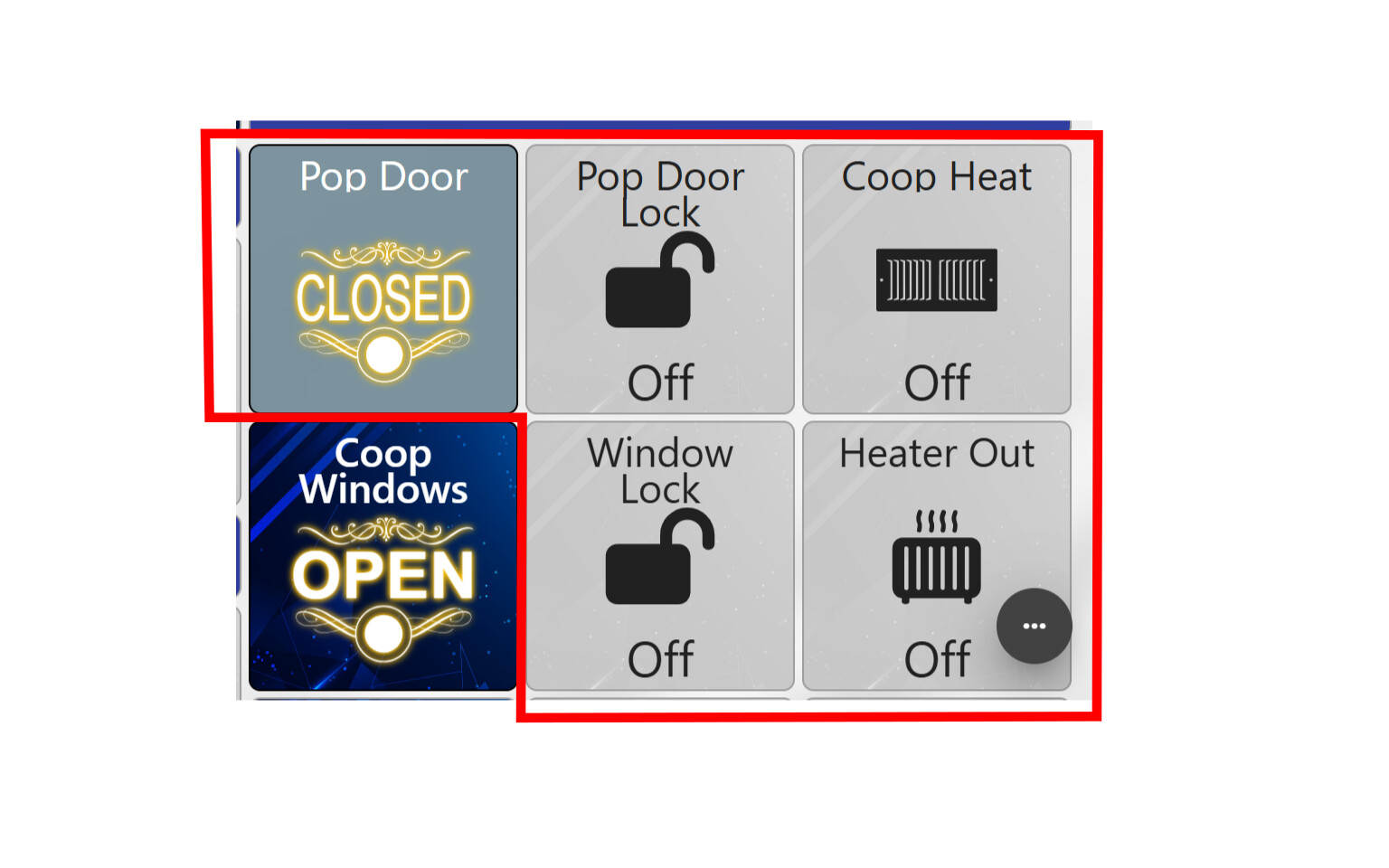
 I moved the images to postimages and I’m good …… for now…..