I’d like to have container tiles that you can put other tiles into. Then you could apply a style to the container with a fill and make your child tiles transparent so they all end up looking like one big tile.
The use case I envision is to be able to load the container with tiles, and then be able to treat the container as a single object when moving it around in a dashboard.
For example, a dashboard could contain a “container” for each room, with each container grouping the “things” in that room. The containers could be organized as a unit on the dashboard, while leaving their contents unaffected.
This would help avoid messing up the logical grouping of tiles when making changes to a dashboard.
Attributes of the container could be style (per OP request), dimensions, outline, label (e.g. room name).
1 Like
Love this idea.
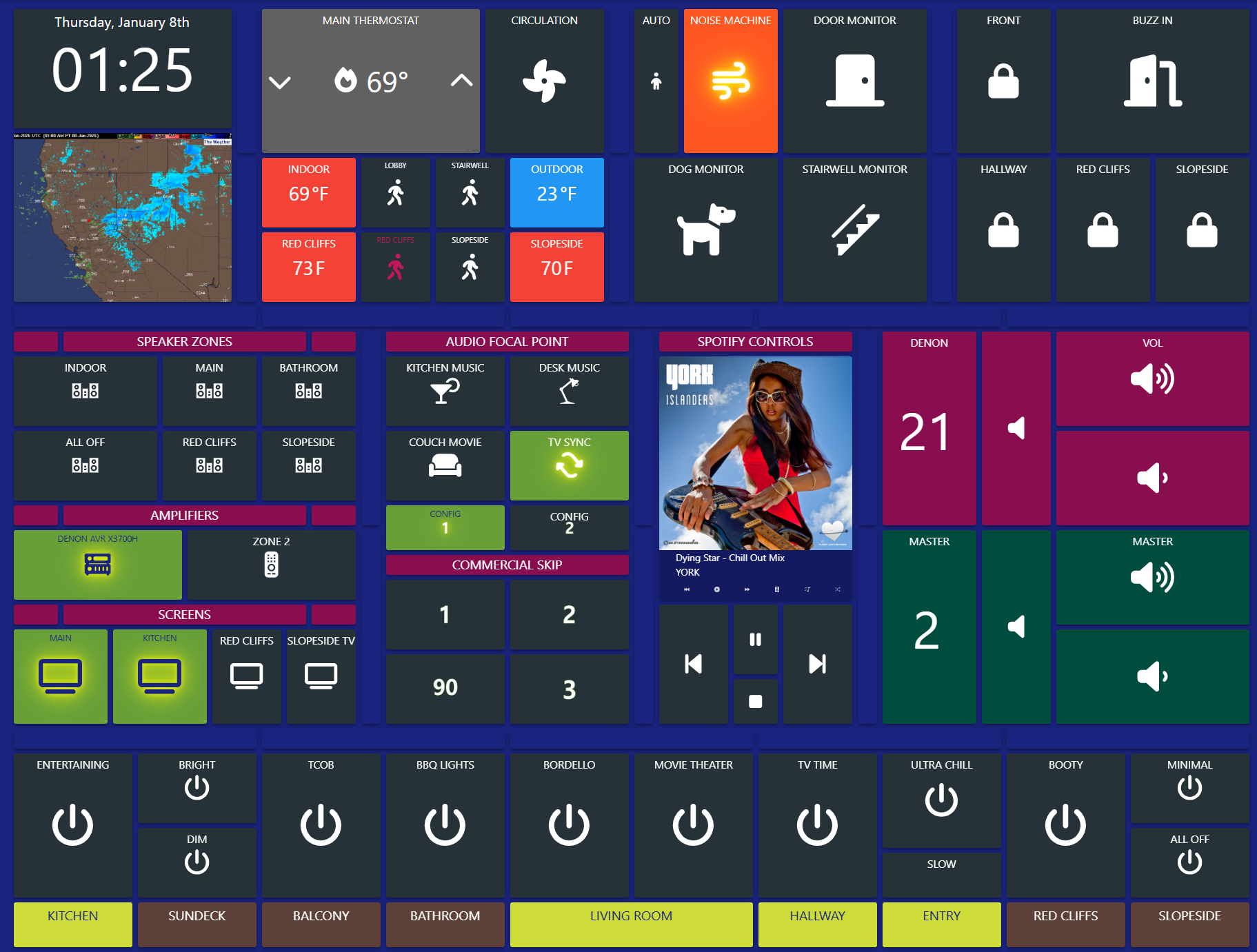
Somewhat similar but not entirely, the one thing I really miss from ActionTiles is the ability to create multiple tilesets with individual tiles below them in the same dashboard. This made it incredibly easy to 1) copy multiple tiles over to another dashboard in a single click and 2) (even more importantly), the ability to create a title bar for each tileset, i.e. “DOOR LOCKS” “OUTLETS” “BEDROOMS,” etc. and then group all of the relevant tiles underneath that title bar. Or, if you didn’t want a title bar but you still wanted to separate groups of tiles, you would just leave the title bar blank. That gave you a small separation of space between your various tilesets.
Setting up this dashboard on SharpTools so that I could have those header tiles, i.e. “SPOTIFY CONTROLS” was a nightmare where I had to create a dashboard with 66 columns.
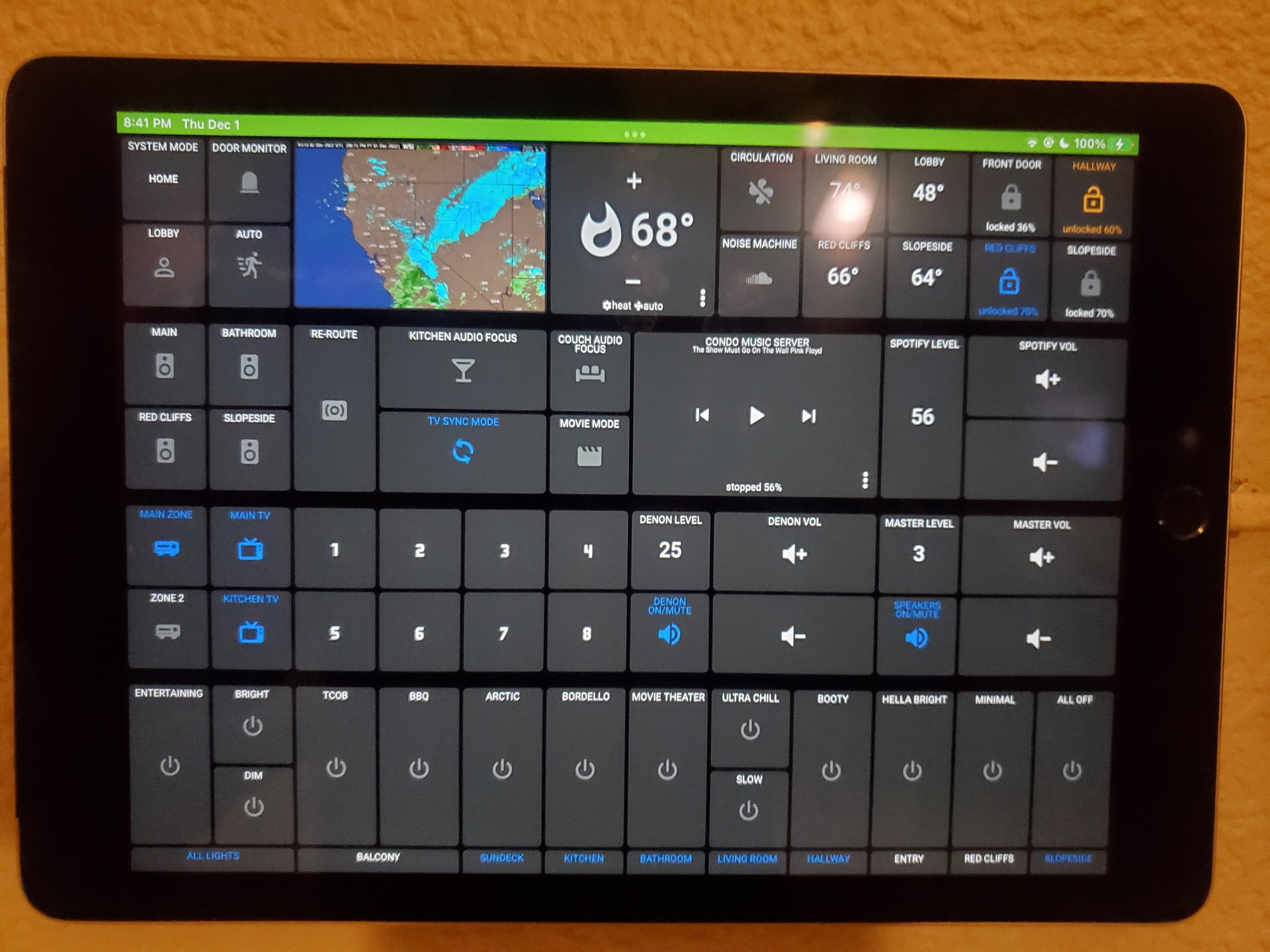
Here’s an example. This is the same iPad that now displays the dashboard above, but done in ActionTiles. I wanted to separate three distinct groups of tiles in ActionTiles: 1) home controls like the thermostat, door locks, etc. 2) all of the audio controls, and then 3) all of the lighting controls. In ActionTiles all I did was create three different tilesets. I could have titled each tileset but I just wanted a small separation between the groups, so I left that blank. Super quick & easy. To replicate this in SharpTools I would have had to do what I did on the dashboard above, i.e. create 66 columns so that each vertical row was small enough to function as a divider between groups.
1 Like