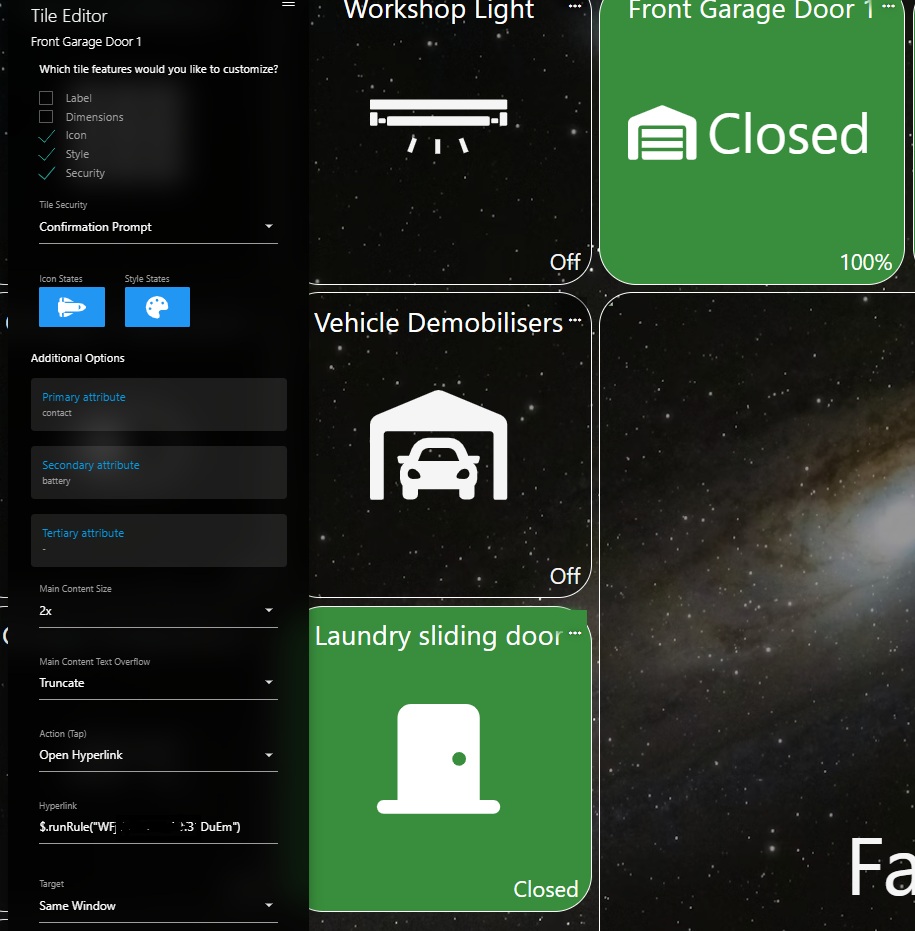
I have Contact sensor tile for my Garage door and is set to Hero Attribute on my dashboard so I can run a rule to open/close the door when its pressed. I have enabled the confirmation prompt in the tile to prevent any accidental triggering when scrolling through dashboards especially when away from home.
For some reason the confirmation prompt does not come up 1st when the tile is pressed. I have also tried setting a PIN and on the Dashboard config and enabling the tile for PIN protection but behaves the same.
IIRC, Hyperlinks and Dashboard navigation aren’t impacted by tile security settings.
I don’t recall all the details off the top of my head, but a big piece was being able to set Dashboard wide security settings and making sure that navigational elements like Dashboards and Hyperlinks work as expected. Hyperlinks don’t distinguish between a traditional hyperlink and special syntax though. I can take a closer look again when I’m back in the office next week as we might have evolved this over time.
I just pushed a fix for this to beta which makes the Hero Attribute Tile respect the configured ‘Security’ setting for Hyperlink and Dashboard actions.
Great thanks Josh, just tested that on Beta and works well. Confirmation prompt now comes up on those hero attribute tiles where security is enabled (eg on my Front Garage Doors) and without confirmation prompt where no security is enabled on the tile (eg on my Rear Garage door).