Is there a best way to save and reformat an existing dashboard formatted in landscape for IPad to portrait in IPhone? I saved a copy of a Dashboard, and tried manually changing font size, # of tiles per row, etc. etc. but when flipping landscape to portrait on IPhone, either (1) the portrait is good but landscape way too big, or vice versa, where landscape is good but portrait way too tiny.
If you want the same dashboard to work on a wide screen and portrait device, you might be able to use the reflowing dashboard, layout mode, along with simple one by one tiles and not introducing a lot of complex or custom layouts and positioning of things.
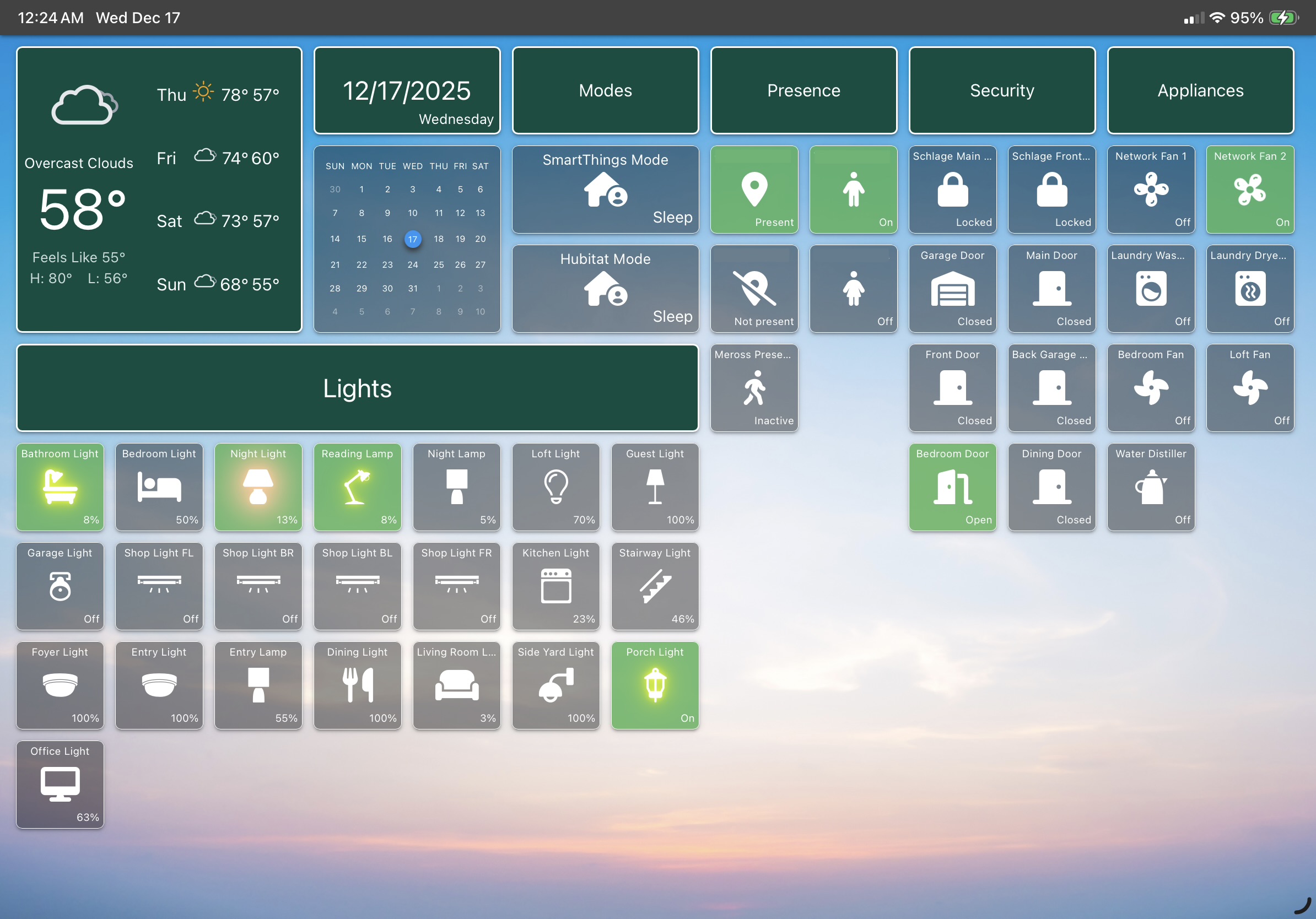
Thanks Josh. I was tinkering a little bit with the Reflow option, but will need to play around with it some more. It works better if I initially set it with basic tiles lined up in a row without any tiles dedicated as section headers.. (see pic). But when I try introducing the sections, that’s where it gets tricky on portrait mode on iPhone. Best I can do is remove the section titles and just stick with basic tiles..
IPad Larger Dashboard (Landscape) with sections.
iPhone Dashboard (Portrait) without sections:
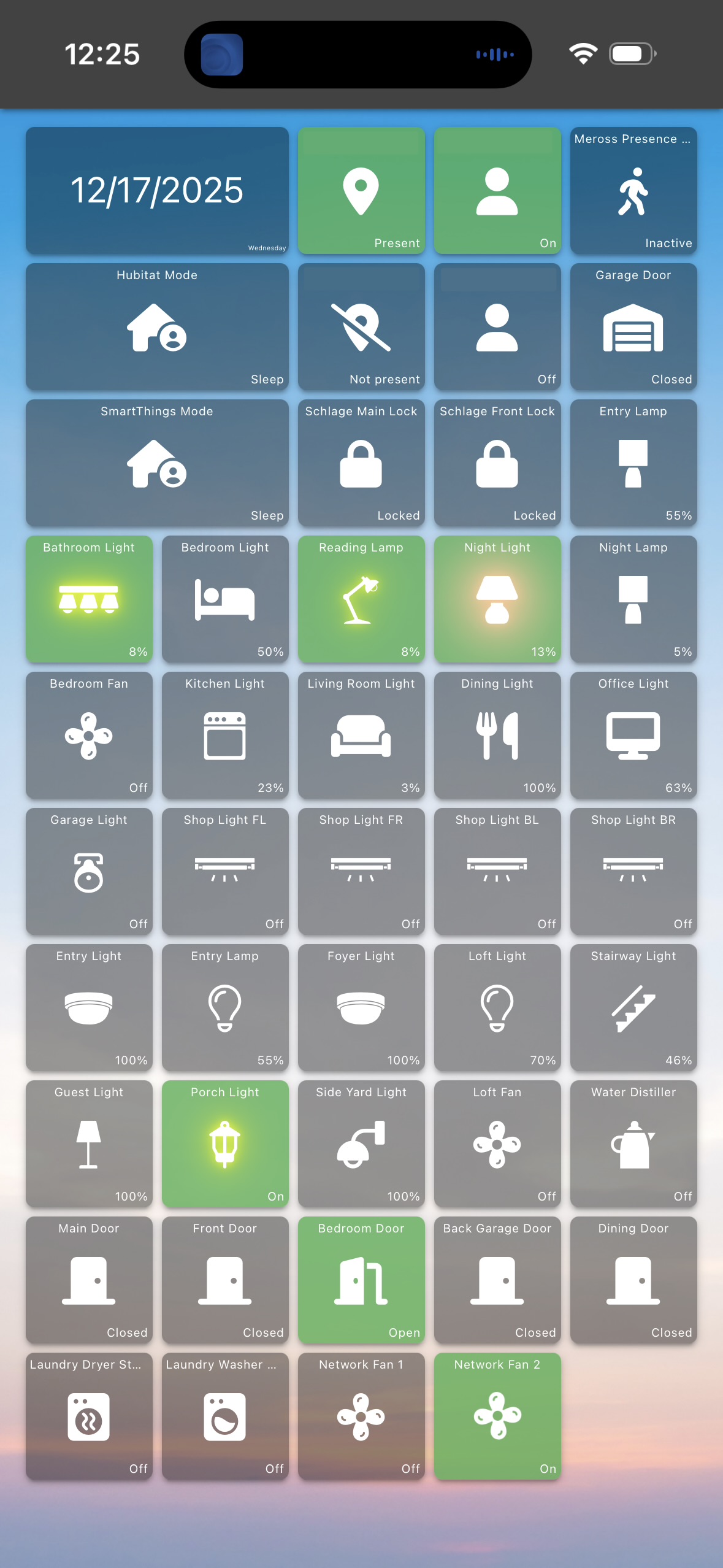
All of my dashboards are pretty basic with little customization other than the style.
1 Like
A lot of people prefer to have separate dashboards for their mobile phones and tablets for that reason.
It’s a bit of a preference thing as for what works best for you and how you like to manage things! Having a choice between the different approaches is a good thing!