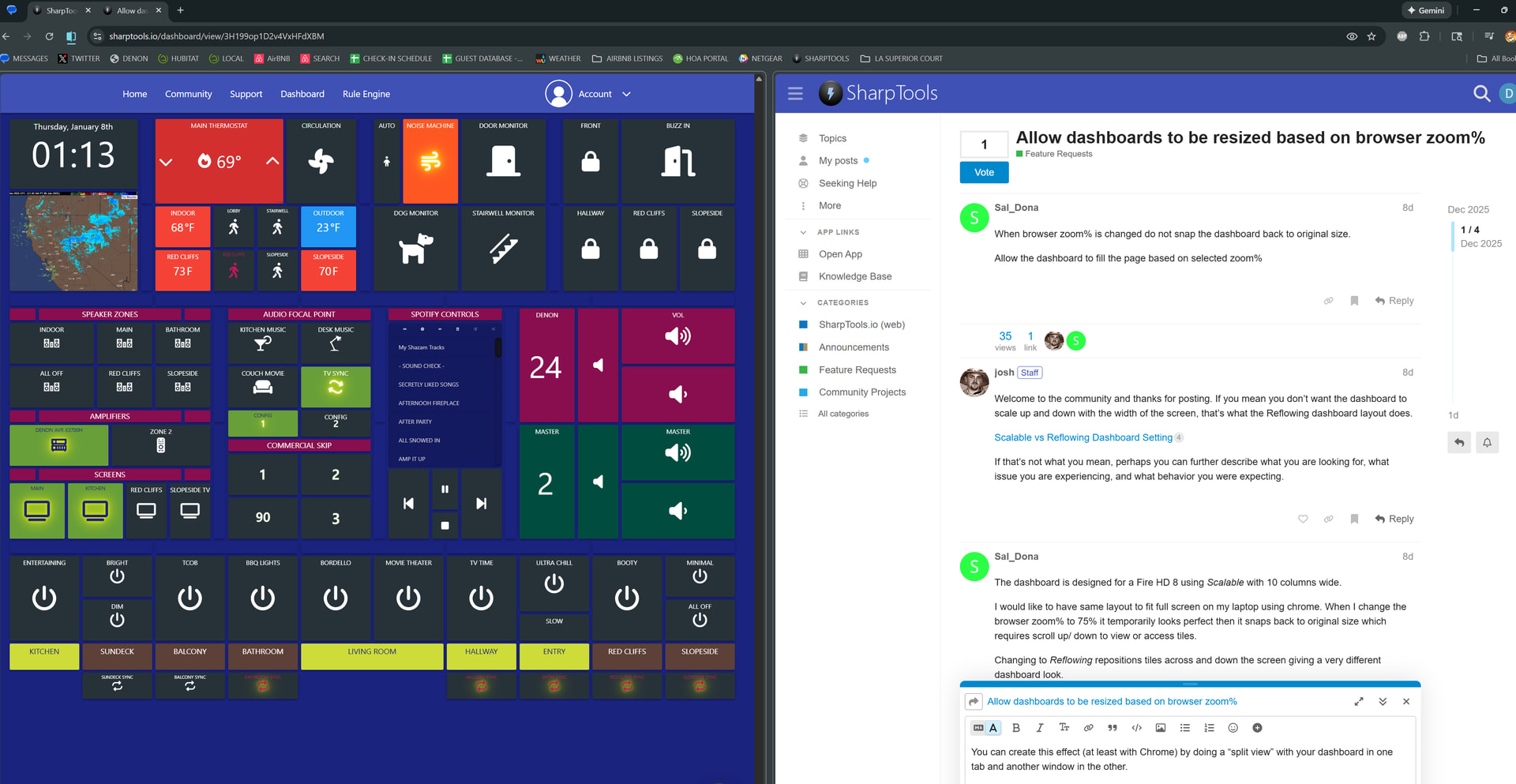
When browser zoom% is changed do not snap the dashboard back to original size.
Allow the dashboard to fill the page based on selected zoom%
When browser zoom% is changed do not snap the dashboard back to original size.
Allow the dashboard to fill the page based on selected zoom%
Welcome to the community and thanks for posting. If you mean you don’t want the dashboard to scale up and down with the width of the screen, that’s what the Reflowing dashboard layout does.
Scalable vs Reflowing Dashboard Setting
If that’s not what you mean, perhaps you can further describe what you are looking for, what issue you are experiencing, and what behavior you were expecting.
The dashboard is designed for a Fire HD 8 using Scalable with 10 columns wide.
I would like to have same layout to fit full screen on my laptop using chrome. When I change the browser zoom% to 75% it temporarily looks perfect then it snaps back to original size which requires scroll up/ down to view or access tiles.
Changing to Reflowing repositions tiles across and down the screen giving a very different dashboard look.
Ah, I think I understand now. You are using the native zoom feature of your browser and you were hoping that the browser itself would just zoom out and the tiles would remain unzoomed? Unfortunately, the browser being zoomed out just acts like a slightly bigger screen, so the native functionality where the dashboards scale with the width of the browser still applies… and browsers don’t expose an API for their ‘zoom’ level.
If the aspect ratio of your tablet and your desktop are different enough, you might consider copying your existing dashboard and then modifying the copy accordingly to better fit the desktop screen.
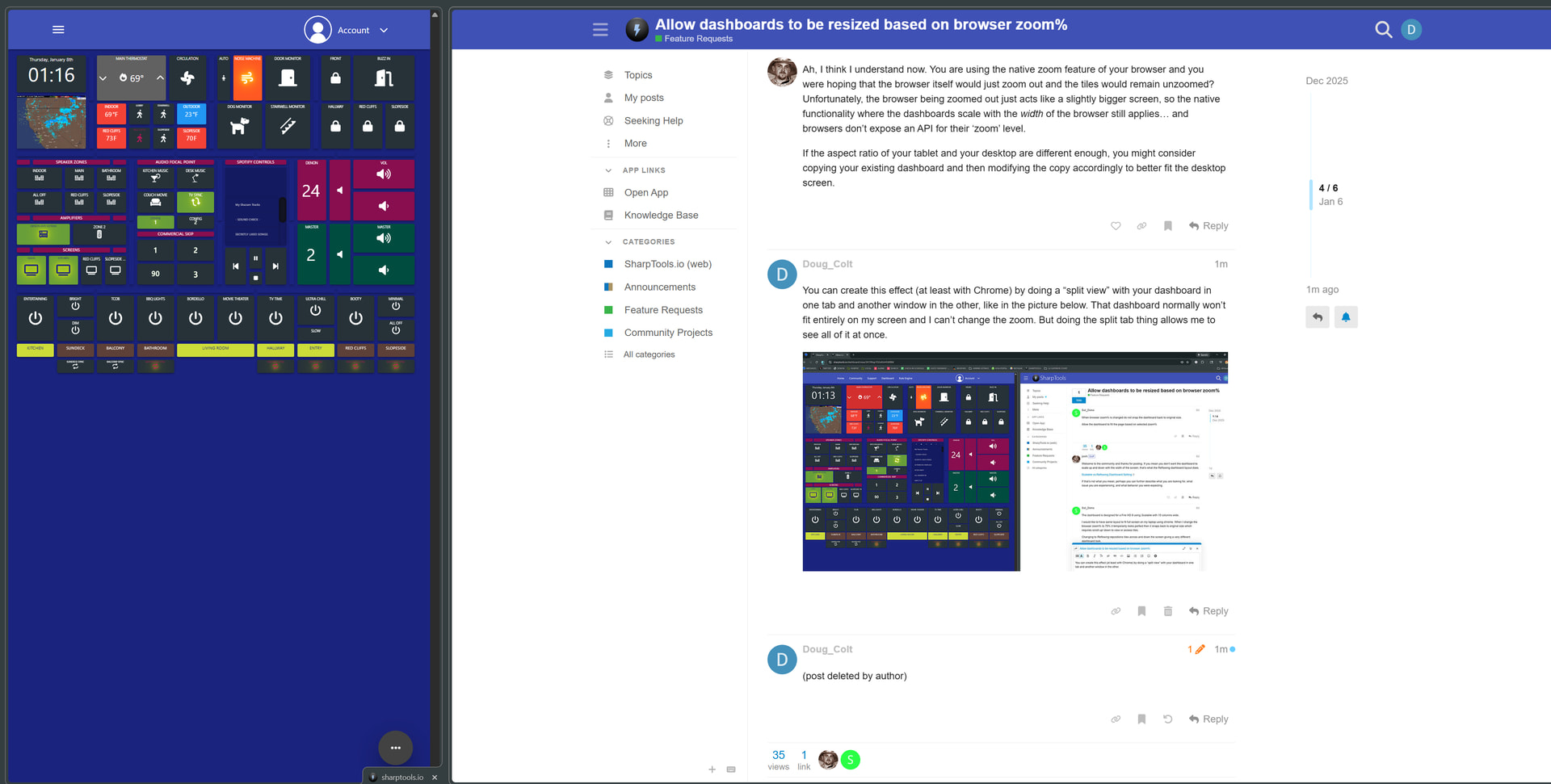
You can create this effect (at least with Chrome) by doing a “split view” with your dashboard in one tab and another window in the other, like in the picture below. That dashboard normally won’t fit entirely on my screen and I can’t change the zoom. But doing the split tab thing allows me to see all of it at once.
Forgot to add, then you can just move the center slider to adjust the respective sizes of the two tabs. This lets you test your dashboard in any size/zoom level as you see here.
Thanks that does it and I also have a status dashboard which I can use as the second tab on the split view! Interesting that the dashboard does not snap back to original size in a split tab but can’t be made to recognize the same when changing the zoom% on a single tab.
Maybe a another way to request this change is to ask for a configuration setting to fully fit the dashboard in a browser tab without invoking any scroll bars. (full screen size regardless of how the tab is sized)
Thanks again!