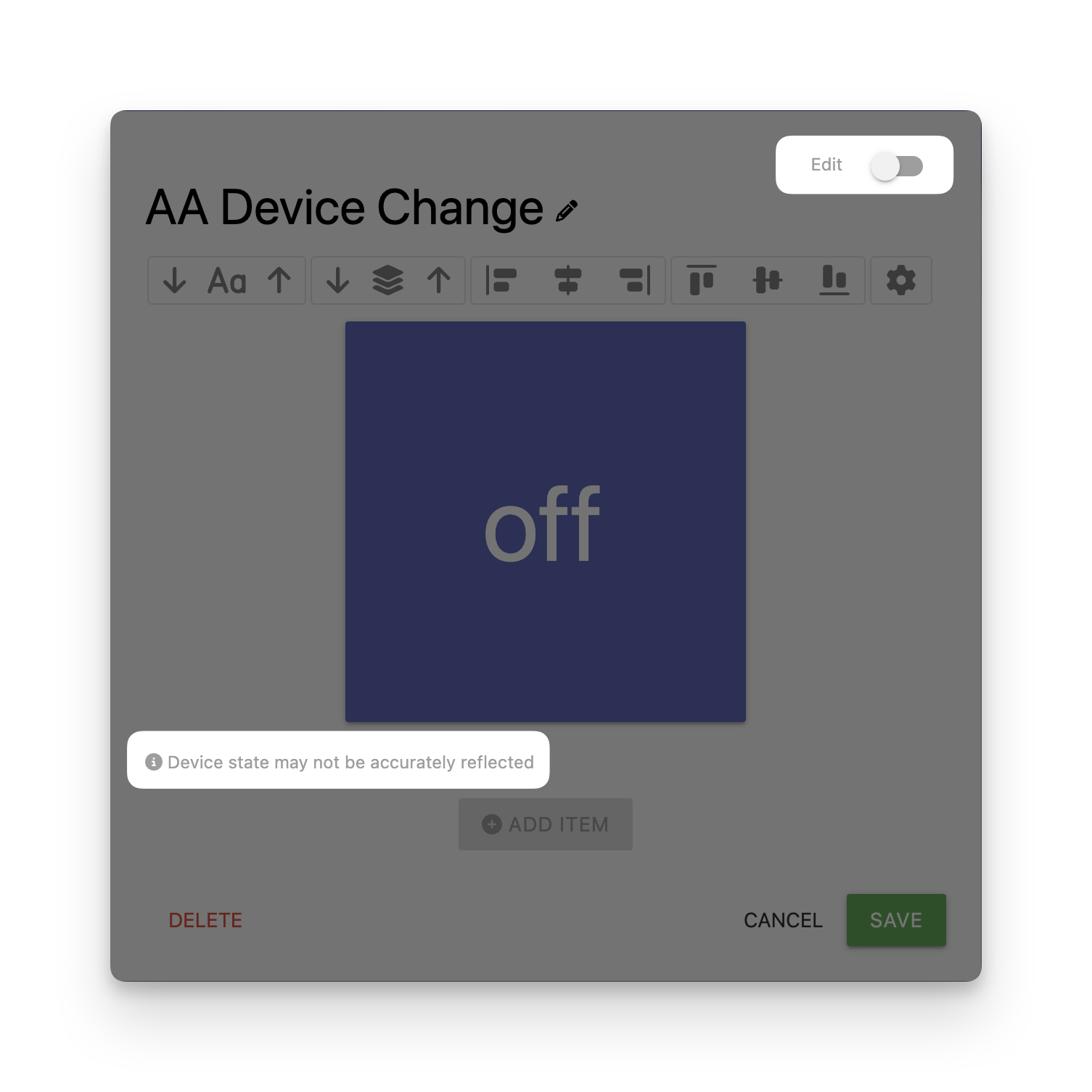
Hi, I think this is a bug. I added a thing icon to a supertile and had the icon change based on the state of the sensor it represented. Done this a million times. But this time it didn’t work. I went back to hubitat and saw that the sensor was not triggering a send to sharptools event. I tried a different sensor and that didn’t work. I tried sending the data over again. Nothing. Not until I added the sensor as its own tile on a dashboard (a different dashboard, none the less) that the supertile began to work. I deleted the sensor tile and the supertile continued to work. And current supertiles that have a thing icon without the thing on a dashboard still work.
I don’t believe that I did anything out of the ordinary or different than I have done before. But adding a thing icon to a supertile doesn’t seem to work until you have added the thing to a dashboard by itself.
Now that I know what to do to fix it, I can. But I don’t think it is supposed to be like that.
Did you add the Super Tile to a dashboard and then save or perform a fresh load of that dashboard after the device was added to the Super Tile?
The Super Tile editor itself does not attempt to setup event subscriptions. If you toggle out of edit mode into preview mode within the Super Tile Editor, it displays a subtle warning about this. It’s not until the Super Tile is added to a dashboard and saved while the Super Tile has a Thing reference in it that it will try to setup an event subscription.
It was an existing supertile that I added the thing to. And I saved, closed it, launched it from another browser (my phone) and went to test it (a motion sensor). I even thought that I must have not saved it because it wasn’t working. Returned to my computer, loaded the supertile again, checked it, checked hubitat, didn’t see the events being sent to sharptools, so I saved it all again. Reauthorized the devices (by going through the sharptools app and clicking done, I didn’t do it through the manage accounts page in sharptools, though I should have.) I tested again. thought I must be going nuts, and then decided to test the thing by itself on another dashboard, and it worked and so did the supertile now.
Thanks for sharing the additional details! It looks like there was a regression: the event subscriptions were still getting setup when you edited/saved a dashboard directly, but in your case where the Super Tile was already on the dashboard and you added a new Thing to an existing Super Tile, it wasn’t triggering the extra subscriptions healthcheck.
I’ve pushed a hotfix which should resolve this. Thanks again for reporting!